Adult creator phishing links are not always obvious. A fake login page can look polished, a copied creator bio can feel familiar, and a rushed “special offer” message can hit right when you are already thinking about subscribing or tipping. The safest fan is not paranoid; the safest fan simply slows down before typing a password, payment details, or a private email address into a page they reached from a random link.
This guide is for fans, viewers, subscribers, and customers who want to enjoy adult creator platforms without handing an account to a scammer. It stays non-explicit and practical: how to inspect links, how to recognize pressure tactics, how to keep your adult browsing separate from daily accounts, and what to do if you already clicked something suspicious.
Fanclan can help as a discovery and navigation layer because organized creator profiles, platform links, and comparison habits reduce the chance that you chase a random mirror account. Still, no directory replaces your own checks. Treat every login page, discount message, and “backup account” link as something that must earn trust first.
Why phishing hits adult creator fans differently
Phishing is a broad online problem. The U.S. Federal Trade Commission warns that phishing messages often imitate trusted companies and push people to click links or reveal sensitive information. Adult creator fans face an extra layer: privacy pressure. A scammer knows many people do not want to discuss adult subscriptions publicly, so the scam can feel harder to report and easier to rush through quietly.
That privacy pressure is exactly why you need a repeatable checklist. If a link claims to be an OnlyFans, Fansly, payment, promo, livestream, Dropbox-style folder, or “verification” page, your job is to confirm the destination before you interact. You are not being rude to a creator by checking. You are protecting your account, your payment method, and the real creator’s income from impersonators.
The 30-second link check before you log in
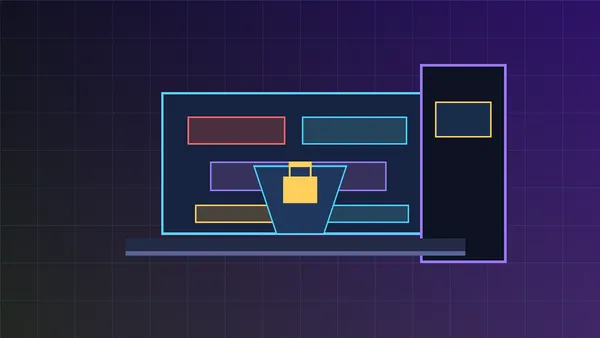
Before you enter credentials, pause and check four things. First, look at the domain itself, not just the button text. A link label can say “official page” while the real destination is a lookalike domain. Second, check spelling and extra words. Scammers love small substitutions, added hyphens, strange country-code domains, or long subdomains that hide the actual site. Third, use your password manager as a signal. If it will not autofill on a page where it usually does, do not force the login. Fourth, open the official app or type the known platform URL manually instead of trusting the message link.
This small pause prevents the most expensive mistake: entering a real username and password into a fake page. If the offer is legitimate, it will still exist after thirty seconds of checking. If it disappears unless you act instantly, that urgency is part of the test.
Red flags in creator DMs, comments, and social bios
Most suspicious adult creator phishing links share patterns. Watch for messages that say a creator has “moved platforms” but only provide a shortened link. Be wary of “free lifetime access” pages that require a card for verification. Avoid links demanding your platform login to view a preview, vote in a contest, unlock a private gallery, or prove you are not a bot. Legitimate platforms may ask you to log in, but the request should happen on the real platform domain or app, not a random landing page.
Copied bios are another signal. Impersonators often reuse a creator’s display name, avatar, captions, and pinned posts, then swap only the payment or subscription link. If the account is new, has mismatched handles, disables comments, or pressures you to pay off-platform immediately, step back. Cross-check from the creator’s older verified social profiles, their official website, or a trusted directory page before you spend.
Use official-link habits, not vibes
When a creator’s main social account is banned, suspended, or shadow-limited, fans often search in a hurry. That is prime territory for impersonators. A safer pattern is to build an official-link trail: start from a known account, check whether multiple long-standing profiles point to the same destination, and prefer platform-native profiles over payment links sent in a one-off message. If you need a deeper routine, Fanclan’s guide to finding adult creator official links after social bans covers that exact scenario.
Directories and saved bookmarks help because they reduce random searching. If you follow several creators across platforms, keep a small private list of official profile pages and note where you verified each link. That list does not need explicit details. A simple “creator name, official social, official subscription page, date checked” can prevent late-night guessing.
Do not reuse your everyday password
Phishing gets worse when one stolen password unlocks your email, payment app, social account, and adult platform account. CISA recommends strong, unique passwords and password managers as part of basic account safety. For adult subscriptions, this matters even more because account compromise can expose private viewing habits, saved payment methods, messages, and subscriptions.
Use a unique password for every adult platform. Turn on two-factor authentication wherever the platform supports it, and protect the email account attached to those subscriptions first. Google’s account help recommends two-step verification as an added layer against stolen passwords; the same principle applies broadly. If your email is compromised, a scammer may be able to reset platform passwords even if the platform password itself was unique.
Payment pages deserve a second pause
Some phishing attempts do not ask for a platform password. They ask for a card, wallet transfer, gift card code, crypto payment, or “age verification” fee. The FTC’s general scam guidance is blunt: scammers use pressure, urgency, and unusual payment methods because those methods are hard to reverse. In adult creator communities, the pitch may sound like a private discount, custom request deposit, emergency fundraiser, or off-platform bundle.
Also separate a creator’s real boundary from a scammer’s invented emergency. A creator may set firm rules about deposits, turnaround times, and where they accept payments. That is normal. A scammer, by contrast, usually changes the rules mid-conversation: one link stops working, a second wallet appears, a “manager” account joins the thread, or a limited deal suddenly requires a different payment method. When the payment path keeps moving, stop treating it like customer service and start treating it like risk.
None of those categories are automatically fake. Creators can sell in different ways depending on platform rules and personal boundaries. The safety rule is that the payment path should match the creator’s established public instructions. If a new account suddenly asks you to ignore the platform, send money to a different name, or use a method that offers little buyer protection, verify before paying.
Short links, QR codes, and “link in bio” pages
Short links and bio-link pages are common in creator communities, partly because social platforms restrict adult links. They are not automatically dangerous. The risk is that they hide the final destination. If you are already logged into a platform in your browser, a phishing page may try to mimic that flow and make the fake page feel routine.
When you encounter a short link, expand or preview it if the service allows. On mobile, long-press carefully to inspect the URL without opening it. Do not scan a QR code from a reposted image unless you know where it leads. If a bio-link page contains several buttons, make sure the subscription or paid-content button goes to the real platform domain you expected, not a clone.
What to do if you clicked a suspicious creator link
Clicking is not always the disaster. Entering credentials or payment information is the bigger problem. If you clicked but did not type anything, close the page, clear that tab, and avoid downloading files. If you entered a password, change it immediately by typing the official site address yourself or using the official app. If you reused that password anywhere else, change those accounts too, starting with email.
If you entered payment details, contact your card issuer or payment provider through the number or app you normally use. Do not use contact details shown on the suspicious page. Review recent transactions, cancel or replace cards when appropriate, and save screenshots or URLs in case you need to report the scam. If your adult platform account has messages, subscriptions, or wallet balance attached, check active sessions and revoke anything unfamiliar if the platform offers that setting.
Respect creators while protecting yourself
Good safety habits should not turn into harassment. Do not accuse a creator of scamming because one impersonator exists. Instead, verify quietly through official channels. If you find a fake profile, report it to the platform and, when appropriate, let the real creator know through a public or established contact path. Keep the message brief: profile URL, screenshot if allowed, and why it appears fake.
Respect also means not demanding private proof that violates a creator’s boundaries. A creator does not owe you personal documents, real names, or off-platform private details. Your verification should focus on public consistency: long-standing accounts, platform links, pinned posts, official websites, and consistent handles.
A bookmarkable fan checklist
- Type the platform URL yourself before logging in from a message link.
- Check the exact domain, spelling, subdomain, and HTTPS lock.
- Let your password manager warn you when autofill does not appear.
- Verify “new account” or “backup page” claims from older official profiles.
- Avoid card “verification” pages attached to free previews or surprise prizes.
- Do not reuse your email or banking passwords on adult platforms.
- Turn on two-factor authentication for email and platform accounts when available.
- Be careful with short links, QR codes, and reposted link-in-bio screenshots.
- Keep a private list of official creator links instead of searching from scratch every time.
- Report impersonators without pressuring real creators for private personal proof.
Where Fanclan fits
Fanclan is most useful here as a calmer way to discover and organize adult creator information. Instead of bouncing through random reposts, you can use structured profiles and your own saved notes to keep track of which creator pages you meant to revisit. That is soft infrastructure, not magic protection. The final click still deserves your attention.
For related safety routines, read Fanclan’s guides on spotting fake adult creator profiles, following adult creators more privately, and shared-device privacy. Together, those habits make phishing links less tempting because you are no longer improvising under pressure.
Bottom line
Adult creator phishing links work because they combine desire, privacy, urgency, and platform confusion. Your defense is simple but disciplined: verify the domain, use unique passwords, avoid rushed payment paths, and build a private official-link routine. If something feels urgent, make it wait. Real creators benefit when fans pay through the right pages, and fans benefit when their accounts, budgets, and privacy remain intact.
Sources: FTC guidance on recognizing and avoiding phishing scams and how to avoid scams; CISA guidance to use strong passwords; Google help on two-step verification; platform terms from OnlyFans and Fansly.