Let's cut right to the chase: OnlyFans does not accept PayPal. This isn't an oversight; it's a specific business decision based on PayPal's own strict acceptable use policies. So, if you came here wondering does OnlyFans accept PayPal, the answer is a clear and simple no.
Understanding Your OnlyFans Payment Options

So if PayPal is out, how do you actually pay for subscriptions or get paid as a creator? OnlyFans handles all its transactions through Stripe, a massive and secure payment processor. This allows the platform to safely accept major credit and debit cards, giving both fans and creators a reliable way to manage their money.
We'll break down exactly why PayPal isn't an option, which payment methods are accepted, and how creators can securely receive their earnings. Getting a handle on the financials is a huge first step for anyone new to the platform.
If you're just starting out, our complete OnlyFans guide for beginners is the perfect resource to walk you through the entire setup process from A to Z.
OnlyFans Payment Methods At a Glance
To make things super simple, here’s a quick rundown of what you can and can’t use to pay for content on OnlyFans.
| Payment Method | Accepted by OnlyFans? |
|---|---|
| Visa Credit/Debit | Yes |
| Mastercard Credit/Debit | Yes |
| Discover | Yes |
| Maestro | Yes |
| Some Prepaid Cards | Sometimes |
| PayPal | No |
| Cryptocurrency | No |
| Gift Cards | No |
As you can see, your standard credit and debit cards are the way to go. Other popular online methods like PayPal, crypto, and gift cards are not currently supported.
Why OnlyFans and PayPal Just Don't Mix
Ever noticed the missing PayPal button when you go to subscribe on OnlyFans? That’s not a glitch. It’s a very intentional business decision, and it all comes down to risk. The core of the problem is PayPal's Acceptable Use Policy—a rigid rulebook that dictates exactly what kind of business it’s willing to do.
Think of PayPal as a major TV network. The network has strict standards about the shows it airs to keep its advertisers and family-friendly image intact. PayPal operates the same way, protecting its brand and its crucial relationships with global banks. A huge part of that policy is a hard "no" to the adult entertainment industry.
The High-Risk Stigma
To big-name payment processors, the adult content world is flashing red lights and warning signs. It's labeled "high-risk," and that's a label that makes financial companies run for the hills.
This isn't personal; it's just business. The high-risk tag comes from a few key factors:
- Sky-High Chargeback Rates: Historically, transactions in the adult space have a much higher rate of customers disputing the charges. For a payment processor, every chargeback is a headache that costs time and money.
- Brand Reputation is Everything: Mainstream financial giants like PayPal are fiercely protective of their public image. Getting involved with the adult industry could tarnish their reputation and scare off conservative banking partners.
- Regulatory Headaches: The adult industry is often under a microscope, facing tighter rules and more scrutiny from financial watchdogs. This adds a layer of complexity and potential legal trouble that most big processors simply don't want to deal with.
Because of these risks, processors like PayPal (and its subsidiary, Venmo) have drawn a clear line in the sand, refusing to handle transactions for adult content. This single decision has completely shaped how platforms like OnlyFans have to operate. For a great breakdown of how these policies ripple through the creator economy, check out this piece on platformable.com.
By completely avoiding the adult sector, PayPal shields itself from financial losses and brand damage. This forces platforms in this space to find financial partners who are willing to play in the high-risk sandbox.
This is exactly why OnlyFans works with a company like Stripe, a processor with a different appetite for risk that's willing to navigate this specific market. It’s a perfect example of how payment policies create major differences between platforms. If you're curious how this plays out for creators and fans, our OnlyFans vs Fansly guide digs into these details.
At the end of the day, PayPal's refusal is a calculated move to protect its status as a trusted, universally accepted, and squeaky-clean payment service.
Your Official Payment Options as a Fan

Since PayPal is off the table, you're probably wondering what your actual choices are for subscribing to your favorite creators. OnlyFans keeps things simple and secure by sticking with the major, globally recognized card networks. They process everything through Stripe, so you can be confident your financial data is locked down tight.
The go-to method is a standard credit or debit card. It's the most reliable and widely used option on the platform, and adding a card works just like any other online store you've used. If you're totally new, the first step is learning how to set up an OnlyFans account and get started before you even think about payment details.
Accepted Card Types
OnlyFans officially accepts a handful of the big card providers, giving you a few solid choices. The platform has intentionally focused on these established networks to guarantee security and reliability for its massive user base around the world.
The main cards you can use are:
- Visa: Both credit and debit cards from Visa are a sure bet.
- Mastercard: Another primary choice for both credit and debit payments.
- Discover: Subscribers in supported regions can use Discover cards without a problem.
- Maestro: Some debit card payments can also be processed through the Maestro network.
It's worth pointing out that while some prepaid cards from Visa or Mastercard might work, they aren't a guaranteed method. Success often comes down to the card issuer, as some banks automatically block transactions with platforms they classify as adult entertainment.
Bottom line? Using a standard credit or debit card from a major bank is the most dependable way to make sure your subscription goes through without a hitch. This direct approach helps you avoid the headache and uncertainty that can pop up with third-party services or prepaid cards.
How OnlyFans Creators Actually Get Paid
If you're a creator, knowing how the money gets from your fans to your bank account is every bit as important as the content you make. While fans can't pay with PayPal, the payout system for creators is thankfully a straightforward and secure process.
When a fan subscribes, their payment doesn't land directly in your pocket. First, it goes through Stripe, OnlyFans' payment processor. This is where the platform takes its 20% commission, leaving you with the other 80%.
Next, your earnings enter a mandatory "pending" period. This holding phase, which typically lasts about 7-8 days, is a key safety net. It helps protect everyone from potential headaches like fraudulent payments or chargebacks, making sure the funds are legitimate before they're yours to withdraw.
Accessing Your Earnings
Once that pending period is over, the money moves into your "available balance." Now you're in control. OnlyFans does have a minimum withdrawal amount, which is usually $20 for most payout options.
You've got a couple of choices for how to get paid, so you can pick what works for your financial flow:
- Manual Payout: Cash out your available funds whenever you want, as long as you've hit that minimum threshold.
- Automatic Payouts: Put it on autopilot and get your money sent to you either weekly or monthly.
Setting up your payment methods is a simple, step-by-step process, as you can see in the infographic below.
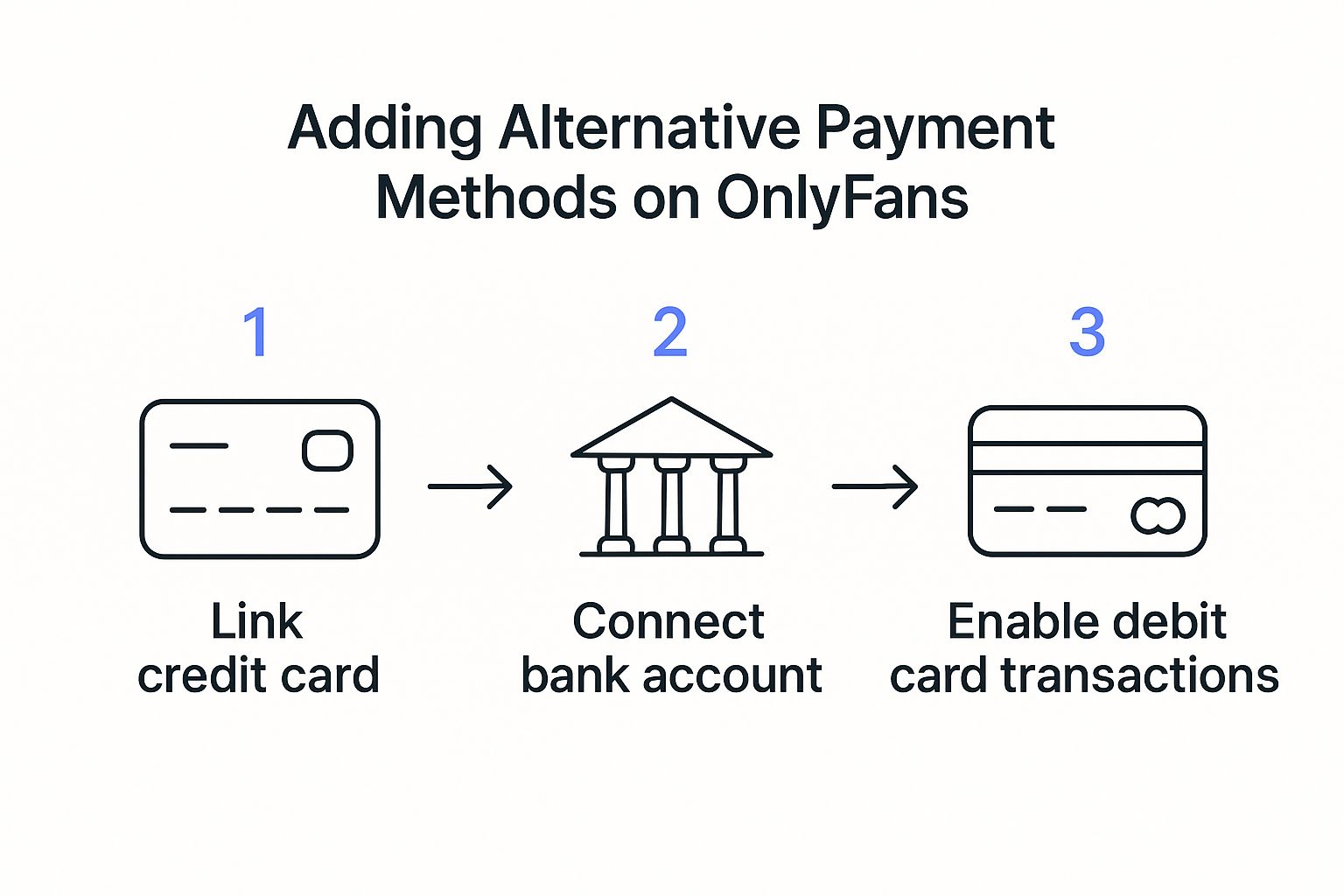
As the graphic shows, linking your bank account for payouts is a secure, verified process. It's designed to ensure your money gets transferred directly and reliably to you. The income potential can be pretty substantial; if you're curious, our guide on how much camgirls earn provides a realistic look into what's possible.
Secure Payment Alternatives for Online Subscriptions
If you're a long-time PayPal user, you might feel a little wary about typing your credit card details directly onto a website. That’s completely understandable. But when you subscribe on OnlyFans, your info isn’t just being tossed into the void—it's handled by Stripe, one of the biggest and most trusted names in online payments.
Stripe uses a clever security trick called tokenization. Think of it like swapping your cash for chips at a casino. You hand over your real money (your card number), and they give you secure tokens (the chips) to use inside. If someone swipes one of your chips, it’s just a useless piece of plastic outside the casino. In the same way, Stripe takes your card number and swaps it for a unique, encrypted token.
This means OnlyFans never actually sees or stores your full card number. They only get the secure token from Stripe, which drastically cuts the risk of your data ever being compromised. It's the same bulletproof tech that millions of businesses, from tiny online shops to massive corporations, rely on every day.
Comparing Your Best Payment Options
Even with top-notch security, maybe you want an extra layer of privacy or just a better way to keep your spending in check. This is where prepaid debit cards can be a game-changer. Let's break down the two main options so you can pick the one that works best for you.
Your standard credit or debit card is all about convenience. It’s already in your wallet, and subscriptions renew automatically without a second thought. Plus, you usually get built-in fraud protection from your bank, which is a nice safety net.
A prepaid debit card, on the other hand, acts like a financial firewall. You load it with a set amount of cash, and that’s all you can spend—period. It keeps your main bank account totally separate from the transaction and makes it impossible to overspend. This is a smart move for anyone looking to tighten their online security. For more tips, check out our guide on how to avoid online scams and protect your data.
Choosing a payment method you're comfortable with is key. Whether you prioritize convenience or control, both standard cards and prepaid options have clear benefits for managing your subscriptions safely.
Comparing Online Payment Alternatives
To make it even clearer, let's put the two main payment methods side-by-side. This table breaks down what you can expect from each when subscribing online.
| Feature | Credit/Debit Card (via Stripe) | Prepaid Debit Card |
|---|---|---|
| Security | High (uses tokenization & bank-level fraud protection) | High (not linked to your main bank account) |
| Privacy | Good (OnlyFans sees a token, not your card number) | Excellent (creates total separation from your bank) |
| Convenience | Excellent (easy setup for recurring payments) | Moderate (requires pre-loading funds before use) |
| Spending Control | Lower (tied to your account limit) | Excellent (limited to the amount you load) |
| Acceptance Rate | High | Variable (some issuers may block certain sites) |
Ultimately, both are solid, secure choices. Your decision really comes down to whether you prefer the set-it-and-forget-it ease of a credit card or the ironclad budget control of a prepaid card.
Common Questions About OnlyFans Payments
Even after covering the official payment methods, you probably still have a few questions. The world of online payments can get confusing, so let’s clear the air and tackle the most common things fans and creators ask.
We’ll get straight to the point on the practical concerns, starting with the go-to workaround people try when their primary card gets declined.
Can I Use a Prepaid Gift Card on OnlyFans?
Sometimes. While OnlyFans technically accepts some prepaid cards from big names like Visa or Mastercard, it's a total gamble. Think of it like a key that only fits some of the locks—it might work, or it might not.
The problem is that some banks issuing these cards automatically block any transactions with platforms they label as "adult entertainment." For your best shot at making it work, here’s what to do:
- Stick to the big brands: Make sure it’s a Visa or Mastercard, not a gift card for a specific store.
- Register the card online: If the issuer requires it, link the card to your name and address.
- Load it up: Ensure there are enough funds to cover the subscription plus any temporary pre-authorization holds.
Even if you do all this, your prepaid card could still be rejected. It's always a good idea to have a regular debit or credit card ready as a reliable backup plan.
Let’s be crystal clear: there are absolutely no official or secure indirect methods to use PayPal for OnlyFans. Any third-party service claiming it can connect the two is almost certainly a scam. It violates both platforms' rules and puts your financial info at serious risk.
Is It Safe to Enter My Credit Card on OnlyFans?
Yes, putting your card details into OnlyFans is generally very safe. Your information isn't actually stored on OnlyFans' servers. Instead, they use Stripe, a massive, trusted payment processor that handles transactions for millions of businesses all over the globe.
Stripe uses industry-standard security measures like encryption to keep your data locked down. It's the same level of security you'd expect from huge e-commerce sites like Amazon or Target. Sticking to the official payment methods on the platform is always the safest route.
At Fanclan, we're all about helping you find the best creators safely and easily. Start discovering your new favorite model with our advanced search tools at https://fanclan.io.