So, how does an OnlyFans subscription actually work? It’s pretty simple: fans pay a monthly fee to get an all-access pass to a creator's exclusive content feed. Think of it like a digital fan club—your subscription is the key that unlocks everything they've ever posted.
This direct-to-consumer model means one payment gets you all the photos, videos, and updates a creator has shared.
Decoding The OnlyFans Subscription Model

At its heart, the OnlyFans subscription is a direct transaction between a creator and their fans. This is a huge shift from platforms that run on ad revenue. OnlyFans gives creators the power to monetize their work directly from the people who appreciate it most, building a unique community based on mutual support instead of annoying ads.
The whole system is built on a straightforward revenue split. For every dollar a fan spends, the creator pockets 80%, and the platform takes a 20% cut. This commission covers essentials like payment processing, hosting, and support, and the clear 80/20 split is a major reason why creators love the platform.
To give you a clearer picture, here’s a quick breakdown of how it all works for both sides of the screen.
OnlyFans Subscription at a Glance
| Feature | How It Works for Fans | How It Works for Creators |
|---|---|---|
| Payment | A recurring monthly fee is charged to your card. | Receive payouts from aggregated fan subscriptions. |
| Content Access | Subscription unlocks the entire feed—past and future. | Post content behind a paywall for subscribers only. |
| Interaction | Fans can message creators, tip posts, and buy PPV. | Creators can interact directly with their paying fanbase. |
| Cancellation | Fans can cancel anytime to stop future payments. | Creators keep earned income, even after a fan cancels. |
This table shows just how interconnected the experience is, designed to benefit both the fans who want exclusive access and the creators who provide it.
The Foundation Of Creator Earnings
While that monthly subscription fee is the bread and butter for most creators—providing a nice, predictable income—it's usually just the beginning. The smartest creators use it as a foundation and build multiple income streams on top of it.
Here are the other ways creators make money on the platform:
- Pay-Per-View (PPV) Content: This is exclusive media sent through direct messages. Fans pay a one-time fee to unlock it.
- Direct Tipping: Fans can send tips on specific posts or in messages to show extra appreciation for a creator's work.
- Fundraising Goals: Creators can set public fundraising goals for special projects, like buying new camera gear or funding a unique content shoot.
This multi-layered system lets creators run their page like a real business. The subscription provides a steady cash flow, while tips and PPV sales can lead to huge earning spikes. It's a model that works—the platform now has around 4.19 million creators and over 305 million fan accounts worldwide. For a deeper dive into these numbers, OFStats.net is a great resource.
This mix of recurring income and one-off purchases creates a powerful economic engine. It turns the simple fan-creator relationship into a sustainable digital business where every interaction can translate directly into income.
If you’re just starting out, getting a handle on this model is your first step. For a complete walkthrough, be sure to check out our OnlyFans guide for beginners. Understanding how these financial pieces fit together helps everyone—fans and creators alike—get the most out of the platform.
The Subscriber Experience from Start to Finish
Jumping into OnlyFans as a subscriber is a surprisingly simple process. The whole experience, from the moment you find a creator you like to unlocking their content, is designed to be smooth and private. It's kind of like getting an all-access pass to a private concert—once you're in, you're in.
It all starts when you land on a creator's profile and see that big "Subscribe" button. Clicking it kicks off a quick sign-up and payment flow. You'll need to create an account and add a payment method, which includes a quick identity check to make sure everyone is of legal age. If you need a hand with that first part, we have a complete walkthrough on how to set up an OnlyFans account and get started.
Completing Your Subscription
After your payment info is good to go, the subscription goes live almost instantly. And don't worry about privacy—the charge on your bank statement is super discreet. It usually shows up under a generic name like "Fenix International" instead of blasting "OnlyFans" everywhere, which is a nice touch.
Once the payment clears, the paywall on the creator's page vanishes. Just like that, you have full access to their entire content library. We're talking every single photo, video, and post they've ever shared on their feed. It’s a key to their whole back catalog, not just new stuff.
Engaging with Creators Post-Subscription
Being a subscriber is about more than just looking. It's your ticket into a creator's community. Once you're subscribed, you can start interacting with them and other fans directly.
- Explore the Feed: You can scroll endlessly through their profile to see everything they’ve ever posted, all organized by date. It makes catching up a breeze.
- Like and Comment: Just like on any other social media platform, you can show some love by liking posts and dropping comments.
- Send Direct Messages (DMs): This is a big one. Subscribing unlocks the ability to send DMs, opening a direct line of communication with the creator.
This whole system is shaped by how creators decide to structure their offerings, which this infographic breaks down nicely.
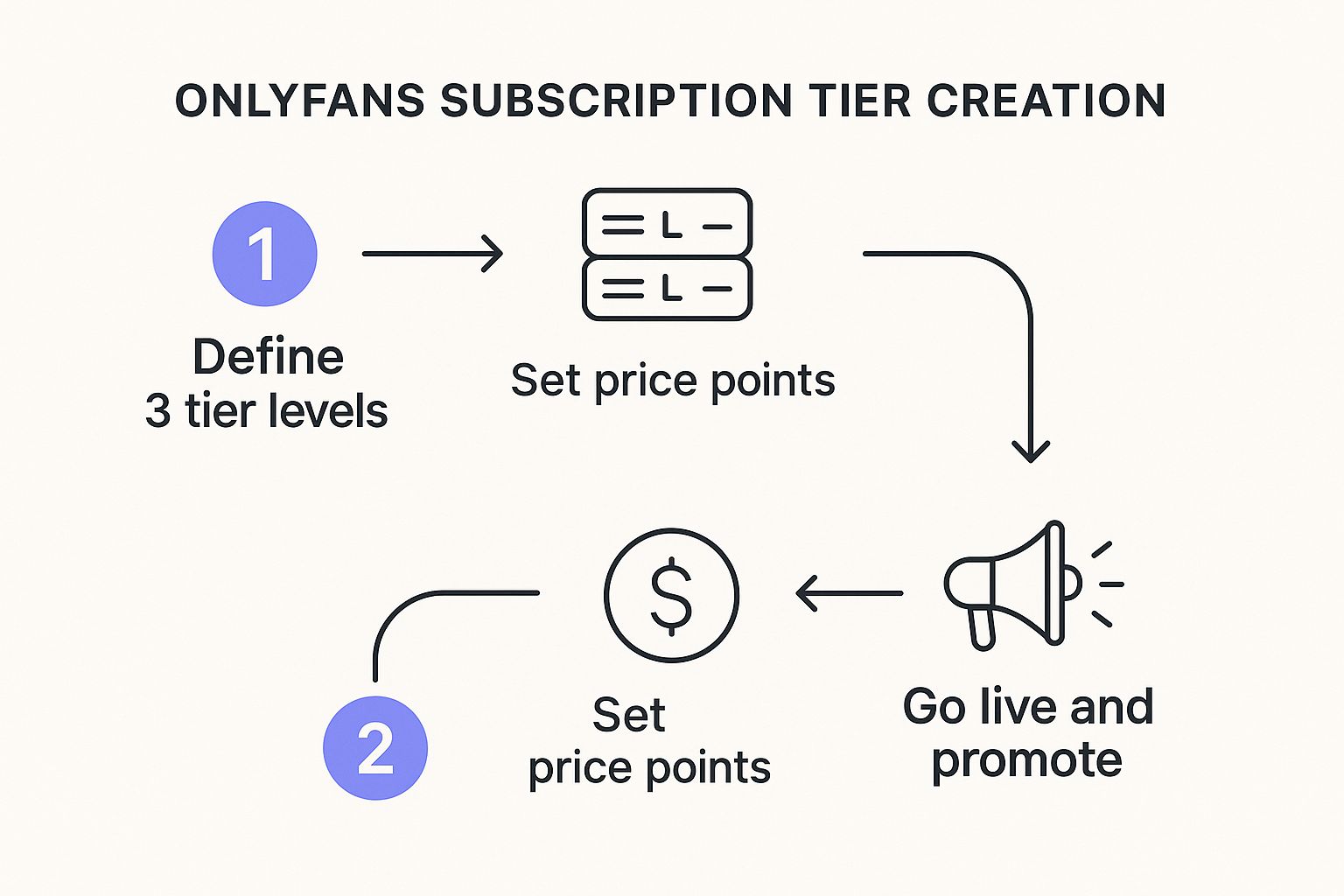
As you can see, creators put a lot of thought into the value they provide, and that strategy directly impacts the price you pay. From here, your journey is all about exploring their world and connecting with the people you choose to support.
How Creators Set Prices and Generate Income

On OnlyFans, creators aren't just making content; they're running a business. The platform puts them squarely in the driver's seat, and the first big call they have to make is setting their monthly subscription price. This fee is the key to their exclusive world, and nailing the right price is a delicate dance between being affordable and reflecting the value of their content.
Some creators go with a free page, which is a great way to pull in a massive audience fast by removing the paywall. For them, all the income comes from tips and selling pay-per-view (PPV) content. Others set up a paid subscription, which builds a tighter, more exclusive community and creates a steady, predictable income stream each month.
But here’s the important part: no matter where the money comes from—a subscription, a tip, or a PPV message—the math is always the same. OnlyFans uses a simple and powerful 80/20 revenue split.
This means creators pocket a huge 80% of everything they earn. OnlyFans takes the remaining 20% to handle all the boring stuff like payment processing, keeping the site running, and providing support. This creator-friendly split is a massive reason why the platform has become so popular.
The Core Revenue Split Explained
Think of the 80/20 split like a business partnership. The creator brings the talent and builds the audience, and OnlyFans provides the digital stage to make it all happen securely. So, if a creator charges $10 per month, they get $8.00 from every single fan who subscribes.
This straightforward model is the engine behind the platform's explosive growth. Since it launched, OnlyFans has completely reshaped the creator economy. By the close of 2024, the platform had processed $7.2 billion in fan payments and was home to 4.6 million creators—a testament to its financial power. For more mind-blowing stats on the platform's scale, check out reports from places like Business Insider.
Diversifying Income Beyond Subscriptions
The most successful creators know that subscriptions are just the beginning. The monthly fee pays the bills, but the real money is made by creating multiple ways for fans to spend. It's all about maximizing the value of every subscriber.
Here’s how they stack their income on top of that subscription base:
- Pay-Per-View (PPV) Messages: This is the ultimate upsell tool. Creators can send extra-special content directly to a fan's inbox for a one-time fee, offering something a little more premium or personal.
- Direct Tipping: Just like a digital tip jar, fans can show their appreciation by tipping on specific posts or directly on a creator's profile. This is especially huge during live streams and can add up fast.
- Custom Content Requests: This is where the big money can be. Many creators offer to make personalized photos or videos for fans at a premium price, turning their content creation into a high-end, bespoke service.
By mixing the reliable income from subscriptions with these one-off purchases, creators build a business that can really last. This strategy lets them appeal to everyone in their audience, from the casual fan who just pays the monthly fee to the super-fan who is happy to tip big for custom content. Uncovering the average income from OnlyFans almost always shows that the top earners are the ones who master these different income streams.
Earning Beyond the Subscription with Upsells and Tipping
While a recurring monthly subscription provides a stable foundation, it’s really just the cover charge. For the most successful creators, the subscription is the first step, not the final destination. The real money is often made by offering exclusive experiences that go beyond the standard feed content.
This is where upselling completely changes the game. The main tool for this is Pay-Per-View (PPV) content. Think of it as the VIP section of the club. Your subscription gets you in the door, but PPV content is the bottle service—exclusive photos or videos sent directly to a fan's DMs, locked behind a one-time fee.
This approach feels far more personal than a general feed post, creating a sense of special access that motivates fans to spend more.
Creator Revenue Streams on OnlyFans
The most effective creators don't rely on just one source of income. They build a multi-layered earning strategy that combines the stability of subscriptions with the high-profit potential of one-time purchases. The table below breaks down the primary ways they make money.
| Revenue Stream | Payment Type | Typical Use Case | Earning Potential |
|---|---|---|---|
| Subscriptions | Recurring (Monthly) | Access to the creator's main feed content. | Stable, predictable income base. |
| Pay-Per-View (PPV) | One-Time | Exclusive photos/videos sent via direct message. | High; can significantly exceed subscription revenue. |
| Tipping | One-Time | Showing appreciation for posts, DMs, or live streams. | Variable; depends heavily on fan engagement. |
| Live Streams | One-Time (Tips) | Fans tip for interaction, requests, or to show support. | Can be very high during a single session. |
As you can see, a creator’s financial success is directly tied to their ability to engage fans beyond the initial subscription paywall.
Tipping as a Digital Tip Jar
Another key piece of the puzzle is the tipping feature. It works exactly like a digital tip jar, letting fans show extra appreciation whenever they feel like it—on a specific post, during a live stream, or just because.
Tipping transforms the experience from passive content consumption into a real, interactive exchange. A fan might tip to get their custom content request noticed, to influence what a creator does next on a live stream, or simply to get a shout-out.
It builds a much more dynamic relationship where fans feel like their support is actually seen and valued. This is a core part of how an OnlyFans subscription works on a deeper level; it’s less about just buying content and more about participating in a creator's world.
The Power of High-Spending Fans
The entire OnlyFans economy is heavily skewed by a small but mighty group of fans often called ‘whales.’ These are the subscribers who spend big—not just on the monthly fee, but on a steady stream of tips and PPV content.
It's pretty wild when you look at the numbers. An analysis of one million fan transactions in 2025 found that a tiny 0.01% of fans were responsible for a whopping 20.2% of all the money generated.
This tells you everything you need to know. While building a large subscriber base is great for stability, the real secret to maximizing income is catering to that small percentage of super-fans. Smart use of personalized PPV and genuine engagement through tipping isn't just a good idea—it's essential. You can dig into more detailed OnlyFans statistics and analytics to see just how powerful this trend is.
How to Manage and Cancel Your Subscriptions
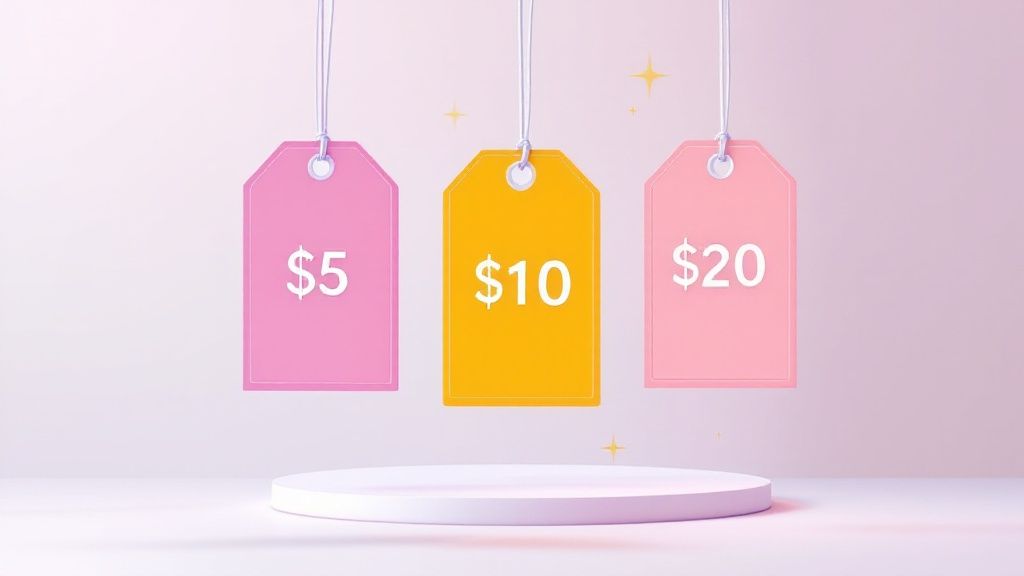
Keeping track of your OnlyFans subscriptions is thankfully pretty simple, but knowing the exact rules is crucial if you want to avoid surprise charges. The platform puts you in the driver's seat, giving you full control over who you subscribe to and for how long.
All your active subscriptions are tucked away in one convenient spot, making it easy to see exactly where your money is going. Just head to your profile and look for the "Subscriptions" section. This is your command center—you’ll see every creator you’re currently supporting and when your next renewal date is.
Turning Off Auto-Renewal vs Immediate Cancellation
This is the big one. You need to understand the difference between turning off auto-renewal and a hard cancel, because only one of those is actually an option. By design, all OnlyFans subscriptions are set to auto-renew by default every month.
To stop the recurring payments, you just have to flip a switch. It’s not a dramatic "cancel" button, but a simple toggle.
Here's the quick breakdown:
- Navigate to your "Subscriptions" list.
- Find the creator you want to stop paying.
- Click the "Auto-Renew" switch to turn it off.
That’s it. You won't be charged again for that creator. The best part? You still get full access to their content until the end of the billing cycle you already paid for. There’s no such thing as an immediate cancellation with a prorated refund on OnlyFans; once you've paid for the month, it's final.
What Happens After You Unsubscribe
The second your subscription period officially ends, your access is cut off. Think of it like your all-access pass expiring. You won’t be able to see any of the creator’s locked posts on their feed anymore.
But what about stuff you bought separately? Any content you purchased directly, like Pay-Per-View (PPV) media that a creator sent you in DMs, is yours to keep. You can always go back into your message history with that creator and view it.
A common worry is whether creators get a notification telling them you've unsubscribed. The short answer is no. They can see their overall subscriber count go up or down, but they don't get a specific alert with your username saying you've turned off auto-renew.
The whole process is designed to be discreet and user-friendly. Managing your account well is a key part of staying safe, and you can learn more in our guide on how to avoid online scams and protect your data for more security tips.
Common Questions About OnlyFans Subscriptions
Diving into OnlyFans subscriptions for the first time? You've probably got some questions. It's totally normal to wonder about things like privacy, how billing works, and what happens if you change your mind.
Getting the facts straight before you subscribe is the smart way to go. Let's clear up the most common concerns so you can subscribe with total confidence.
Is Subscribing to OnlyFans Anonymous?
This is the big one for a lot of new users. While you can pick any username you want to use on the platform, subscribing is not completely anonymous. When you add your payment card, you do have to provide your real name and billing info for verification.
But here’s the important part: creators don’t see any of that. They only see your profile name and username. OnlyFans also helps protect your privacy on your bank statement.
The charge won't scream "OnlyFans." Instead, it shows up under a discreet business name, usually something like "Fenix International" or a similar generic descriptor. This keeps your subscriptions private from anyone who might glance at your statement.
It's a solid system that balances secure, verified payments with keeping your personal spending private.
What Payment Methods Can I Use?
When you’re ready to hit that subscribe button, you'll see OnlyFans mainly sticks to the basics. The platform accepts all major credit and debit cards—think Visa, Mastercard, and Discover. Some prepaid cards might get through, but it's often hit-or-miss.
People often ask about using other options, like digital wallets. We put together a complete guide that gives you the official rundown on whether OnlyFans accepts PayPal and other payment types. It's worth a read, because trying to use an unsupported method will just lead to a failed transaction.
Does OnlyFans Automatically Renew Subscriptions?
Yes, absolutely. This is a critical detail to keep in mind. By default, every single subscription on OnlyFans is set to auto-renew at the end of its billing cycle. If you subscribe on the 5th of the month, you'll be charged again on the 5th of the next month.
This is designed for convenience so you don't suddenly lose access to a creator's page. But if you only wanted to check someone out for a month, you need to act. You have to manually go to your "Subscriptions" list and flip the "Auto-Renew" switch off for that specific creator to stop future payments.
Can I Get a Refund on a Subscription?
Here's another area where the platform's policy is crystal clear. According to the official OnlyFans terms of service, all payments are final and non-refundable. Once you've paid for a subscription or bought a piece of pay-per-view (PPV) content, the transaction is done.
This rule holds firm even if you turn off auto-renew five minutes after subscribing. The best way to manage your spending is to be proactive. If you aren't sure you want to stay subscribed long-term, make a habit of turning off auto-renew right away.
What if a Creator Deletes Their Account?
It’s not common, but it does happen. If a creator you’re subscribed to decides to delete their account, OnlyFans automatically cancels your subscription. You won't be billed again.
However, the downside is that you immediately lose access to all of their content. That means their entire feed, and more importantly, any PPV content you bought from them in your messages, is gone for good. Unfortunately, there's no way to get it back, and refunds for the current subscription period are not issued in these cases.
At Fanclan, we build the tools you need to discover new creators and make smart choices. Find your next favorite model with our powerful search and filtering options.