To stay safe from online scams, you have to get one thing straight: we're way past the days of goofy, poorly-written emails. Modern scams are polished, psychologically-charged operations built to exploit your trust and rush you into a bad decision. The real key is to switch from just being aware of scams to actively defending against them.
Understanding Today's Sophisticated Online Scams
Let’s be honest, that classic "foreign prince" email is practically a punchline now. The threats we face today are incredibly convincing and far more dangerous. Scammers have leveled up, using advanced tools and psychological tricks to craft hyper-realistic traps that can catch even the most skeptical people off guard.
We’re not talking about a few isolated incidents anymore. This is a global, organized effort. These aren't just troublemakers in their basements; they are sophisticated criminal enterprises with serious funding, all driven by the promise of a huge payday.
The New Face of Digital Deception
Today's online scams look nothing like their predecessors. Instead of blasting out generic messages to millions, criminals now tailor their attacks. They scrape information from data breaches and your public social media profiles to weave believable stories that feel personal to you.
What's driving this evolution? Simple: money. The financial payoff is so massive that it fuels a relentless cycle of criminal innovation. Cybercrime, which includes all these online scams, is projected to cost the world $10.5 trillion a year by 2025. That's a staggering jump from $3 trillion in 2015. To put it in perspective, this is one of the largest transfers of economic wealth in history, making the global illegal drug trade look small by comparison. You can dive into more of these cybercrime statistics to really grasp the scale of the problem.
At its heart, a modern scam is designed to sidestep your logical thinking and hit you with an emotional punch. Whether it's fear, greed, or a sudden sense of urgency, the goal is always the same: get you to act before you have a chance to think.
Common Sophisticated Scam Types
Knowing what these scams look like in the wild is your first line of defense. Here are a few examples of the sophisticated threats making the rounds right now:
- Hyper-Realistic Phishing Emails: Forget about the obvious typos and weird grammar. Scammers can now perfectly clone the branding of companies you trust—your bank, Amazon, Netflix—and create pixel-perfect emails that look identical to the real thing.
- Urgent Smishing Texts (SMS Phishing): You get a text, seemingly from FedEx about a "delivery issue" or from your bank flagging a "suspicious transaction." The text pushes you to click a link that leads to a bogus website built to steal your login info.
- Convincing Social Media Impersonations: A scammer creates a fake profile that looks just like your friend or family member. They'll then send you a frantic message about a fabricated emergency, pleading for you to send money. It’s a nasty trick that plays on your instinct to help someone you care about.
Ultimately, learning how to avoid online scams starts with accepting that everyone is a target. The modern threat isn't some distant prince; it's a personalized, psychologically-tuned attack. Once you recognize this new reality, you can start building the proactive mindset you need to stay safe.
How to Spot the Red Flags of a Scam
Learning to spot a scam is less about technical wizardry and more about developing a healthy sense of skepticism. It’s about training yourself to pause and question an unexpected message before you even think about clicking or replying. The warning signs are usually there, often hiding in plain sight.
Once you know what to look for, these red flags become impossible to ignore. Scammers count on you being busy, distracted, or emotional. By simply slowing down and taking a second look, you can dismantle their entire strategy.
Decoding the Anatomy of a Scam
Let’s break down the common tricks you’ll see in scam emails, texts, and social media DMs. Most scammers aren’t creative geniuses; they follow a well-worn playbook designed to short-circuit your rational thinking by provoking a strong emotional response, like fear or excitement.
Their number one tool? Manufactured urgency. They want you to act now and think later. Watch out for phrases like:
- “Your account will be suspended in 24 hours.” This is a classic scare tactic designed to make you panic and click their link to "fix" a non-existent problem.
- “This limited-time offer expires tonight!” This preys on your fear of missing out (FOMO), pressuring you to claim a fake prize or deal before it’s "gone forever."
- “Suspicious login detected. Secure your account now.” By making you worry about your security, they trick you into entering your real username and password on a counterfeit login page.
A fundamental step in protecting yourself is knowing how to quickly check if a website is secure. This image gives you a simple visual guide.

As you can see, looking for the padlock icon and ensuring the URL starts with https:// are two of the quickest, most reliable checks you can do. It's a small habit that makes a huge difference.
The 'Too Good to Be True' Test
Here’s a rule I live by: if an offer feels too good to be true, it almost certainly is. Scammers love to dangle irresistible prizes and unbelievable deals because they know greed and excitement can cloud anyone's judgment.
This is especially common with popular subscription services where people are always looking for a deal. The promise of free premium access is a powerful lure. It's crucial to understand the difference between a real promotion and a flat-out scam, a topic we explore in our guide on 12 verified ways to get OnlyFans for free in 2025.
If an offer arrives out of the blue and seems unbelievably generous—like winning a lottery you never entered or being offered a high-end electronic for just the cost of shipping—it’s almost certainly a scam. Legitimate companies don't give away valuable products to random strangers.
Another telltale sign is sloppy writing. While some scammers have gotten better, many scam messages are still riddled with glaring grammar mistakes, typos, and awkward phrasing. If a message supposedly from a major corporation sounds like it was written by someone who barely speaks English, your alarm bells should be ringing.
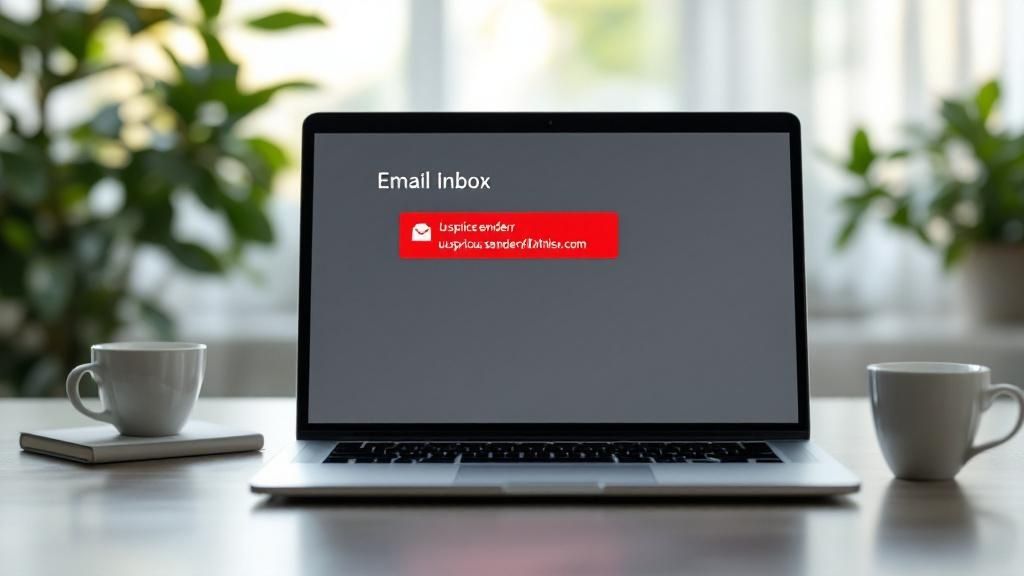
Finally, always be a detective about the sender's details. Does the email look like it's from PayPal? Check the actual sender address. It’s probably something bizarre like "[email protected]," not an official domain. The same goes for links. Before you click anything, hover your mouse over it and look at the URL that pops up in the corner of your screen. If the link text says bankofamerica.com but the preview URL is clickme.xyz/BoA, you’ve found a phish.
To make this easier, here's a quick cheat sheet for spotting red flags across different platforms.
Common Scam Red Flags at a Glance
This table provides a quick reference to common warning signs of online scams across different communication channels, helping users quickly identify potential threats.
| Red Flag | Example in Email | Example in SMS/Text | Example on Social Media |
|---|---|---|---|
| Urgent Threats/Demands | "Your account is locked. Verify your info now or it will be deleted." | "Suspicious activity on your account. Reply STOP to cancel or click here." | "Your page is violating our policy. Appeal within 12 hours to avoid suspension." |
| Unexpected Prizes/Offers | "Congratulations! You've won a $1,000 gift card. Claim it here." | "You have an unclaimed package from FedEx. Schedule delivery now." | "You've been selected for a brand collaboration! DM us for details." |
| Suspicious Links | A link that looks like amazon.com but the hover-preview shows a random URL. |
A shortened link (e.g., bit.ly) from an unknown number about a bank issue. | A "shocking video" link sent from a friend's hacked account. |
| Odd Sender Details | Email from "Netflix" but the address is [email protected]. |
Text from a 10-digit number pretending to be your bank's 5-digit short code. | A message from "Facebook Support" via a personal profile, not an official page. |
| Poor Grammar/Spelling | "youre account has benn compromised. please to login for fix." | "we detcted an unusul login. plz verify info." | "Hi dear, i see your profile and i like. check my website." |
Keep this table in mind as a mental checklist. Running through these points whenever you receive an unsolicited message can help you catch a scam before it catches you.
Building Your Digital Defenses
Spotting a scam is one thing, but stopping it from ever getting to you is the real goal. To do that, you need to shift from being reactive to being proactive. It's time to build up your digital defenses. This isn't about becoming a tech genius; it's about forming a few rock-solid security habits that put a wall between you and the scammers.
And make no mistake, the problem is massive. Globally, an estimated 608 million people get hit by scams every year. Here in the U.S., nearly 80 million people have lost money to a scam in just the last five years. These aren't just statistics; they're real people whose lives are disrupted by increasingly clever fraud, as detailed in this scam victimization report.
Get Serious About Your Passwords
Your first line of defense is always going to be your passwords, but most people treat them like an afterthought. Using the same simple password everywhere is like handing a thief a master key to your entire life—your house, your car, your office. Once they have it, they have everything.
To lock things down properly, every single password you use needs to be both strong and unique.
- Strong passwords are long and messy. I'm talking about a random phrase of at least 12-15 characters with a mix of uppercase, lowercase, numbers, and symbols.
- Unique passwords mean you never, ever reuse them. Data breaches are a fact of life. If your go-to password gets leaked from one website, you can bet scammers are already trying it on your email, bank, and social media accounts.
Look, nobody can remember dozens of unique, complex passwords. It's just not possible. This is why a password manager is an absolute game-changer. It creates, saves, and fills in super-strong passwords for you. All you have to do is remember one single master password.
Turn On Multi-Factor Authentication Everywhere
If you do only one thing to boost your security today, make it this: enable Multi-Factor Authentication (MFA). You might also see it called Two-Factor Authentication (2FA).
MFA is hands-down the most effective way to stop someone from taking over your accounts. Even if a scammer gets their hands on your password, they're stopped dead in their tracks because they don't have that second piece of the puzzle.
That second "factor" is something only you have, like:
- A code from an authenticator app (like Google Authenticator or Authy) on your phone.
- A one-time code sent to you via SMS text.
- A physical security key that you plug into your device.
Authenticator apps are the most secure option, but honestly, any MFA is a world better than none at all. Make it a mission to turn it on for every important account you have—start with your email, banking, and social media right now.
Keep Your Software Updated
This last one is simple but so easy to ignore: keep your software updated. Scammers and hackers are always on the lookout for security holes in old apps, web browsers, and operating systems.
When a company pushes out an update, it's not just to add a new emoji. They're usually patching serious security flaws. For example, keeping your software current is a crucial step we cover in our guide on how to block adult websites on any device because it closes off potential weak points.
When you ignore those update pop-ups, you're essentially leaving the back door wide open for criminals.
Cultivating Safer Online Habits
You can have the best security software in the world, but it won't help much if your everyday habits leave the door wide open for scammers. Real online safety isn’t just about the tools you use; it’s about a mindset. It’s about building a natural sense of caution into every click, share, and message.
This human element is, without a doubt, your single best defense. Scammers rely on social engineering, and the only thing that can consistently beat a psychological trick is a sharp, aware human mind.
The good news is that learning to sidestep online scams is all about making small, consistent tweaks to your routine. Over time, these habits become second nature, creating a protective shield that technology alone can't replicate.
Adopt a "Verify, Then Trust" Mindset
If you take only one thing away from this guide, let it be this: verify, then trust. Scammers thrive on urgency and emotion. They want you to panic and react without thinking. It might be a frantic text from a "family member" who needs cash right now, or a scary email from your "bank" about a security breach.
Don't ever act on a request that comes out of the blue. Before you do anything else, take a breath and verify the claim through a completely separate channel you already trust.
- Got a weird text from a loved one? Close the message. Call them directly using the number you have saved in your contacts.
- Received an urgent email from your bank? Don't click a single link. Open a fresh browser window, manually type in your bank's official website, and log in there to see if there are any real alerts.
- A friend sent a strange DM on social media? Their account might be hacked. Pick up the phone or text them on a different app to ask if they actually sent it.
This simple act of pausing to verify is the ultimate scam-stopper. It breaks the cycle of manufactured urgency that scammers depend on. That extra minute you take is never, ever a waste of time.
Practice Smart Digital Privacy Hygiene
Scammers love to use personal details they find about you online to make their stories more believable. The less they can dig up, the harder it is for them to craft a convincing lie. It’s time for a little digital clean-up.
Take a few minutes to go through the privacy settings on your social media accounts—Facebook, Instagram, X, you name it. Really ask yourself: Do complete strangers need to know my birthday, where I work, my entire friends list, or that I was on vacation last week?
Lock down your posts and personal info by setting your audience to “Friends Only.” This one change drastically cuts down the amount of ammunition a scammer has if they're trying to impersonate you or someone you know.
Be Wary of Public Wi-Fi
I see people doing this all the time, and it makes me cringe. The free Wi-Fi at a cafe, airport, or hotel is a playground for criminals. These networks are often unsecured, allowing bad actors to intercept your data in what’s known as a "man-in-the-middle" attack.
Here are a few non-negotiable rules for using public Wi-Fi:
- Never, ever access your bank account or make any financial transactions.
- Avoid logging into sensitive accounts, especially your primary email.
- Stick to sites using HTTPS. You can spot this by the little padlock icon in your browser's address bar. While this encrypts your data, it doesn't magically make an insecure network safe.
If you frequently use public Wi-Fi, a Virtual Private Network (VPN) is a smart investment. A VPN encrypts your entire internet connection, scrambling your data so snoops on the network can't read it. For families, combining a VPN with other tools can create powerful layers of protection. You can learn more about how these defenses work together in our guide on what content filtering is and how it protects online safety.
What To Do The Moment You Realize You've Been Scammed
That sinking feeling in your stomach when you realize you’ve been scammed is awful. It’s a mix of anger, panic, and embarrassment. But what you do in the next few minutes is absolutely critical. Forget about blame for a second—your only job is to take swift, decisive action to cut the scammer off and start damage control.
The First 5 Minutes: Contain the Threat
Your immediate priority is to sever the connection. If a scammer tricked you into giving them remote access to your computer, they could be doing anything—installing spyware, stealing files, or locking you out.
Don't hesitate. Disconnect your device from the internet immediately. Unplug the ethernet cable and turn off your Wi-Fi. It’s a drastic step, but it instantly kicks them out of your system and stops them from causing more harm.
With the device offline, your next move is to find and remove anything they might have left behind. Grab a trusted antivirus and anti-malware program and run the deepest, most thorough scan possible. This is non-negotiable; scammers often leave backdoors or keyloggers to continue spying on you long after they're gone.
Lock Down Your Finances and Identity
Once you've contained the immediate digital threat, you need to throw up a financial firewall. Scammers move fast, so you have to move faster.
- Call Your Bank and Credit Card Companies. Right now. Use the phone number on the back of your card, not one from a suspicious email or text message. Tell them your financial information has been compromised. Ask them to freeze your accounts, block any pending transactions, and issue new cards.
- Change Your Passwords. This is a pain, but it's essential. Start with the most important accounts—your primary email, online banking, and any password managers. If you reused that password on other sites (we've all done it), you have to assume those accounts are compromised, too. Change them all, prioritizing any account that holds payment information.
The Federal Trade Commission's official website outlines these first reporting steps, which are a key part of recovering your control.
Taking these steps not only protects you but also starts a paper trail that can help authorities track these criminals.
Report It: Why It Matters More Than You Think
Reporting the scam might feel like shouting into the void, but it’s one of the most powerful things you can do. It's how we fight back collectively. Think about this: an estimated 3.4 billion phishing emails are sent every single day across the globe. Authorities can't fight that flood without data from people who have been targeted. You can learn more about the staggering prevalence of modern phishing attacks to see the scale of the problem.
Key Action: Report the fraud to the Federal Trade Commission (FTC) at ReportFraud.ftc.gov. This is the main U.S. government database for tracking scams. Also, make sure to report the scammer's account to the platform where it happened, whether that’s Instagram, eBay, or your bank's app. This helps get them shut down faster.
Scammers are masters of exploiting platforms where money changes hands. For example, they might create fake promotions on creator platforms. Understanding the mechanics of these platforms, like in our guide on how free OnlyFans promotions work, helps you see exactly where and how these fraudsters can strike.
Got Questions About Online Scams? We've Got Answers
Even when you know what to look for, some situations can still feel a bit murky. Let's clear up some of the most common questions people ask about staying safe online. Think of this as your quick-reference guide for those moments of uncertainty.
Is It Dangerous to Just Open a Suspicious Email?
You can breathe a little easier on this one. Simply opening a suspicious email is usually not a major risk, thanks to modern email providers like Gmail and Outlook. They're built to prevent malicious scripts from running the moment you open a message.
The real trap is what you do next. The danger kicks in when you click a link, download an attachment, or reply to the scammer. That’s the action that can unleash malware or send you to a slick-looking phishing site designed to swipe your login credentials.
What Should I Do if I Accidentally Clicked a Phishing Link?
Okay, don't panic. If you clicked a link but didn't type in any information, you’ve likely dodged the worst of it. The main concern here is a "drive-by download," where malware sneaks onto your device just from visiting a malicious page.
Here’s your immediate game plan:
- Disconnect From the Internet: Pull the plug! This cuts off any communication between potential malware and the scammer's server.
- Run a Full Antivirus and Malware Scan: Fire up your trusted security software and let it do a deep dive to find and quarantine anything nasty.
- Clear Your Browser's Cache and Cookies: This helps get rid of any lingering malicious files the website might have stored on your device.
If you did enter a password on the fake site, change it immediately on the legitimate account. And if you use that same password anywhere else (you shouldn't!), change it there, too.
Are Scammers Only After My Money?
Not at all. While stealing your cash is often the end goal, it's definitely not the only one. Many scammers are playing a longer game: identity theft. They're hunting for personal information that can be far more valuable to them.
Remember, your personal data is a hot commodity for criminals. They can sell it on the dark web or use it to open credit cards and loans in your name, leaving you with a mess that could take years to clean up.
Scammers also tailor their attacks to specific platforms. They might create fake profiles to exploit users and creators alike, making it important to understand the environment you're in. For example, knowing what a typical average OnlyFans income looks like can help you spot offers that are too good to be true. Protecting your identity is every bit as important as protecting your bank account.
At Fanclan, we're committed to providing a safe and transparent discovery experience. Explore thousands of verified profiles and connect with your favorite models securely. Find your perfect match on Fanclan.io today.