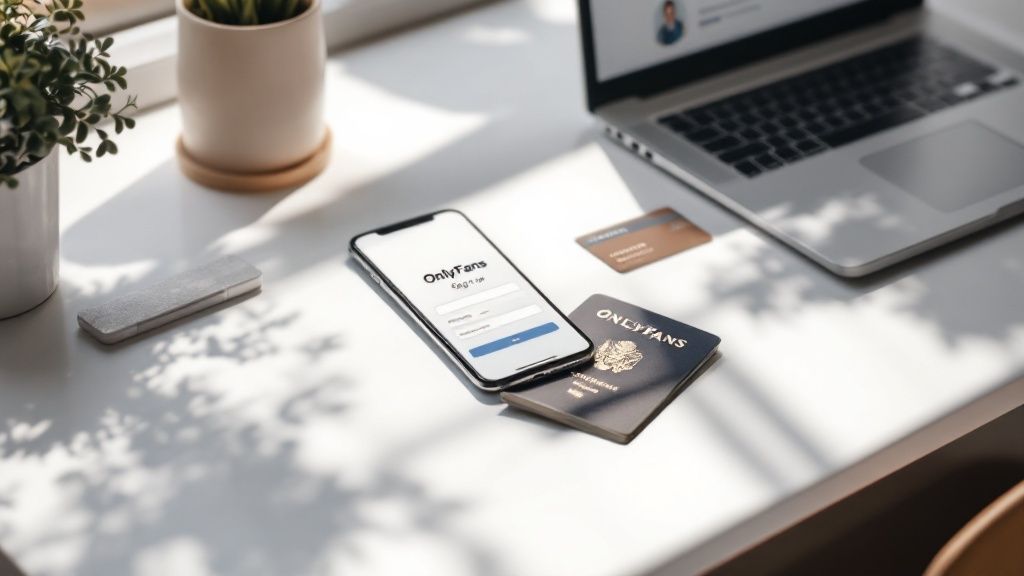
Getting your OnlyFans account up and running is a three-part dance: signing up, getting verified, and setting up your profile. It's actually pretty straightforward as long as you have your government-issued ID and a bank account ready to go.
What You Need Before Starting on OnlyFans
Before you even touch that "Sign Up" button, spend a few minutes getting your ducks in a row. Seriously. Think of it as a pre-launch checklist. Having everything on hand saves you from the annoying delays that trip up so many new creators, especially during verification.
This little bit of prep work is often the difference between getting approved in 24 hours versus waiting a whole week.
Your Essential Document Checklist
Let's get the most critical part out of the way: proving you are who you say you are and that you're over 18. OnlyFans is incredibly strict about this, so there are no shortcuts.
You’ll need a valid, unexpired government-issued photo ID. The most common options are:
- A passport
- A driver's license
- A national identity card
Make sure your ID photo is crystal clear and every bit of text is readable. You'll also have to snap a live selfie holding the ID during the verification process, so be ready for your close-up.
Before you start, it's a smart move to gather all your essentials. This will make the signup process much smoother.
OnlyFans Creator Account Checklist
Gather these essential items and details before you begin the signup process to ensure a smooth setup.
| Requirement | Specifics | Why It's Essential |
|---|---|---|
| Government-Issued ID | Passport, Driver's License, or National ID Card | Required by OnlyFans to verify your identity and age (18+). |
| Clear Photo of ID | High-quality, readable image of the front and back | Prevents verification delays from blurry or unreadable documents. |
| Live Selfie | A photo of you holding your ID next to your face | Confirms you are the person on the ID, a key anti-fraud measure. |
| Bank Account Details | Routing & Account Numbers (or IBAN/SWIFT) | This is how you'll receive your payouts from subscribers. |
| Matching Names | Name on bank account must match ID | A strict requirement to ensure payments go to the verified creator. |
| Brand Ideas | Username, Display Name, Bio Concepts | Helps create a strong, consistent profile right from the start. |
Having these items ready beforehand means you can breeze through the application without hitting any snags.
Financial and Profile Information
To actually get paid (the whole point, right?), you need to link a bank account. Have your routing and account numbers ready. Here's the kicker: the name on the bank account must perfectly match the name on your government ID. You absolutely cannot use someone else's account.
Beyond the boring stuff, start thinking about your brand. What’s your username going to be? How will you describe yourself in your bio? You can always tweak these later, but having a solid idea from day one helps you build a cohesive and attractive profile.
As you plan all this out, it’s also the perfect time to brush up on how to protect privacy online with essential tips and tricks—something every single creator needs to take seriously.
Key Takeaway: The verification process is the biggest hurdle. Make sure your ID is valid and that your bank details match it exactly. Nailing these details the first time is the fastest way to get your account approved and ready for business.
Navigating the Account Sign-Up and Verification
Getting your creator account off the ground happens in two main parts: the initial sign-up and the critical identity verification. The first part is a breeze, but the verification is where many new creators get tripped up.
Nailing this process on your first try is the secret to a fast and painless launch.
The initial registration is quick—just your name, email, and password. You can do it in under a minute. But that only makes you a subscriber. To actually start earning as a creator, you have to complete the verification process, which is much more thorough.
Passing the Identity Check
This is the make-or-break moment when you create an OnlyFans account. The platform is legally required to confirm you're over 18 and the real owner of the ID you submit. Don't rush through this. Nearly all rejections are preventable and usually come down to simple mistakes like blurry photos or bad lighting.
To avoid getting stuck in a back-and-forth review cycle, get these things right from the start:
- Find Good Lighting: Take your ID photos and selfie in bright, natural light. Shadows, glare, and dark rooms are your enemies here.
- Get Crystal Clear Photos: Every single letter and number on your ID must be perfectly readable. Tap your phone screen to focus before you snap the picture to ensure it’s sharp.
- Show the Whole Document: Don't crop any part of your ID. Make sure all four corners are visible in the shot.
This graphic lays out the entire journey, from signing up to getting that final approval.
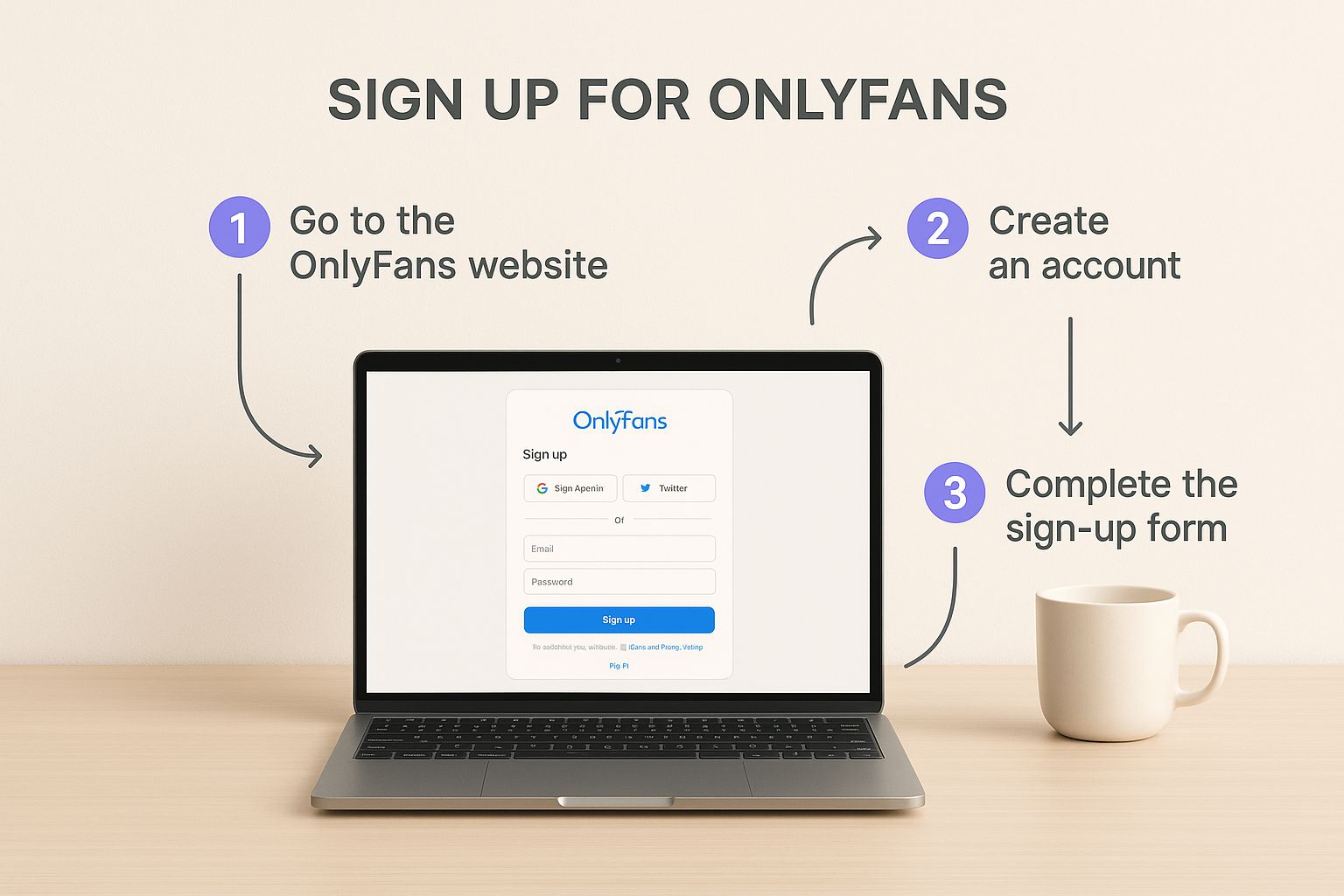
As you can see, that verification step is the most important gateway to becoming an approved creator.
Understanding the Approval Numbers
The competition is no joke. As of February 2025, OnlyFans was home to about 4.19 million creators. That same month, around 179,522 new creators applied, but with an approval rate of only 36%, just 64,600 made it through.
These numbers from OnlyFans stats on ofstats.net show exactly why getting your application right the first time is so important.
Pro Tip: When you take your live selfie, hold your ID next to your face without covering any part of it. Look straight into the camera with a neutral expression. OnlyFans uses this photo to match your live face with the photo on your government ID.
While you're entering your personal details, remember that your security is everything. It’s smart to get familiar with how to avoid online scams and protect your data to keep your new creator account safe right from the beginning. A smooth verification process sets you up for success.
Connecting Your Bank Account to Get Paid
Alright, you're verified. Now for the exciting part—making sure you can actually cash out. This next step is all about connecting your bank account to your new OnlyFans profile.
This is the bridge that turns your creative work into actual money in your pocket. OnlyFans requires this to be set up and secured before you can even think about setting a subscription price or receiving a single tip. It's a non-negotiable part of the process, but thankfully, it's straightforward.
You'll be asked for your bank details—for creators in the US, that means your routing and account numbers. If you're based elsewhere, you’ll likely need your IBAN or SWIFT/BIC codes.
Here’s a crucial tip that trips up a lot of new creators: the name on your bank account must be an identical match to the name on the government ID you just used for verification. No nicknames, no variations. If they don't match exactly, the system will reject it, so double-check this before you hit submit.
Understanding Tax Forms and Payouts
Next up, the dreaded tax forms. If you’re a US creator, you’ll fill out a W-9 form right on the platform. This is standard procedure for any independent contractor work and lets OnlyFans report your earnings correctly. International creators will handle a similar document, usually a W-8BEN, to confirm their non-US status.
When it comes to getting paid, OnlyFans has a minimum payout amount of $20. Your earnings have to hit at least this amount before you can request a withdrawal. Don't expect your money to show up instantly, either.
Key Insight: After a subscriber pays you, those funds sit in a pending status for 7 days. This is an important security hold to protect against chargebacks. Once that week is up, the money clears and becomes available for you to withdraw. Factoring this delay into your budget is key to avoiding financial surprises.
It's easy to get caught up in the hype, but setting realistic income goals is vital when you're starting out. To get a clear picture of what's achievable, check out our deep dive on the average income from OnlyFans in our detailed guide. This will help you manage expectations and plan your growth strategy from day one.
Crafting a Profile That Attracts Your First Subscribers
Alright, you're verified and your bank account is linked. Now for the fun part—turning that blank page into a magnetic profile that actually gets people to click "subscribe." This isn't just about filling in boxes; you're building the entire foundation of your personal brand.
First up, your username and display name. Your username (@YourName) is locked in forever, so pick something you'll be happy with long-term. Your display name, on the other hand, can be tweaked anytime. A smart play is to keep the username short and catchy while using the display name to signal your niche, like "Fitness with Finn" or "Gamer Girl Jess."

Building Your Brand with a Bio and Photos
Your bio is your 15-second pitch. You have very little space to tell potential fans who you are, what they’ll get, and how often they'll get it. Forget generic lines like "DM for requests"—they scream low-effort.
Get specific and make it compelling. Here are a few examples that work:
- "Your go-to for daily yoga flows & behind-the-scenes flexibility training. 🧘♀️"
- "New exclusive cosplay photos every Friday! This month's theme: retro sci-fi."
- "Daily unfiltered chats and weekly live cooking sessions. Let's make a mess!"
Your profile picture and banner are the first things anyone sees, so they need to pop. A blurry, poorly-lit selfie just won't cut it. Use a crystal-clear photo for your avatar and a banner that instantly communicates your vibe. Remember, the words you use matter just as much as the visuals. For some great ideas, check out our guide on the top 8 OnlyFans caption ideas to boost engagement in 2025.
Setting Your Subscription Price
Pricing feels tricky, but it doesn't have to be. Most new creators start low—usually between $4.99 and $9.99—to get those first crucial subscribers in the door. You can always increase your price later once you have a solid library of content to justify it.
It's also important to have realistic expectations from the get-go. While you hear about the top 1%, the average creator earns somewhere between $150 and $180 per month. OnlyFans has an 80/20 revenue split, meaning you keep a full 80% of everything you earn.
Key Takeaway: A strong profile tells a story. Combine a clear bio, high-quality images, and a strategic starting price to create an irresistible offer that turns curious visitors into loyal fans.
Solving Common Account Setup Problems
Even if you follow every step perfectly, you can still run into hiccups when setting up your OnlyFans account. Don't worry, it happens to a lot of new creators. The biggest headache is usually a delayed or rejected verification, but it's almost always caused by small, easy-to-fix issues.
A little glare on your driver’s license, a blurry corner, or bad lighting can be enough for the system to say "no." If this happens, take a deep breath. Just find a spot with good, indirect sunlight, lay your ID flat, and retake the photo. Make sure every detail is crystal clear and all four corners are in the shot.

Quick Fixes for Verification Issues
Sometimes the ID photo is fine, but the live selfie is the problem. Your face needs to be completely visible and look like your ID photo—so no hats, sunglasses, or heavy shadows.
Another common snag is a bank account linking error. This is a big one. It nearly always comes down to one thing: the name on your bank account doesn't perfectly match the name on your government ID. If you use a nickname or a slightly different version of your name, it's an automatic rejection.
Key Takeaway: If OnlyFans rejects your verification, read the reason they give you. It’s usually super specific, like "ID is blurry" or "selfie does not match." Focus on fixing that one thing and resubmit your application.
If you’re running into other technical glitches, like a button that won’t click, the issue might be on the platform's end. Sometimes learning about broader site issues, like what to do if the OnlyFans search is not working, can shed some light on things. For account-specific problems, though, your best bet is to contact their support team with clear screenshots of what’s happening.
Your Questions About Creating an Account Answered
Jumping into the OnlyFans setup process naturally brings up a few questions. We've tackled the most common ones we hear from new creators to get you the clear, quick answers you need. Let’s clear things up so you can get started with confidence.How Long Does OnlyFans Verification Usually Take?
You can typically expect the verification process to take between 24 to 72 hours. I've seen it go faster, but I've also seen it take longer.
Any delays usually come down to a few things: your submitted documents are blurry, the information doesn't line up perfectly, or there’s just a massive wave of new creators signing up.
To keep things moving, make sure your ID photos are crystal clear and well-lit. Every single detail needs to be readable before you hit submit.
Can I Create an OnlyFans Account Anonymously?
This is a "yes and no" situation. For all the official stuff—verification, getting paid—you absolutely have to give OnlyFans your legal name and a government ID. But don't worry, that info stays private and is never shown to your subscribers.
For your public-facing profile, you're free to use a stage name or pseudonym. You can also choose not to show your face in your content. This is how many creators successfully build a brand while keeping their personal life completely separate.
Key Insight: Your legal identity is mandatory for the backend verification and financial side of things, but your public brand can be as anonymous as you want it to be.
Is It Free to Become a Creator on OnlyFans?
Yes, setting up your creator account on OnlyFans costs nothing. There are no sign-up fees or surprise costs to get your page live.
OnlyFans earns its money by taking a 20% commission from your revenue. That means you keep a solid 80% of everything you make from subscriptions, fan tips, and pay-per-view content.
Ready to find your audience or discover your next favorite creator? Fanclan offers an advanced search platform to explore thousands of profiles across every niche. Start your search and connect with the perfect community at https://fanclan.io.