
At its core, the OnlyFans search bar is your primary tool for discovery. You can jump straight to a specific creator by typing in their @username, or you can explore new accounts by using keywords that match your interests. The quickest, most direct route is always the username, especially since many creators have similar display names.
Your Guide to the OnlyFans Search Bar
The search bar on OnlyFans seems simple enough, but really getting the hang of it can save you from a ton of aimless scrolling. Think of it as your starting point. Using it effectively is the difference between finding exactly what you're looking for in seconds and getting lost in a sea of profiles.
The most foolproof way to find a specific person is by searching their exact @username. This is their unique handle on the platform, unlike a display name, which can be changed or shared by multiple people. For example, if you just search for "Jessica," you'll get thousands of results. But if you know her handle is "@jessicafit22," typing that in will take you right to her page. It’s a direct hit every time.
Uncovering Creators with Keywords
But what if you don't have a username? That's when keyword searching becomes your best friend. You can type in terms related to just about anything—niches, hobbies, or specific types of content—right into the search bar. The site’s algorithm will then suggest creators who have those keywords in their bio or posts.
This is where the real discovery happens. Maybe you're looking for a "yoga instructor" or a "vegan chef." A quick search for those terms will instantly pull up profiles you never would have stumbled upon otherwise. It's a fantastic way to find new communities built around your interests. For a deeper dive, you can check out some other easy tips and methods for searching OnlyFans.
A little expert advice: Don't hesitate to try partial names or common online aliases. Creators often use slight variations of their names across different social media platforms, so a bit of creative guesswork can often lead you straight to the right person.
This search function is absolutely critical, especially when you consider the sheer size of the platform. With over 210 million users and 2.1 million creators, a targeted search is the only way to navigate the content effectively. This massive growth, which included a staggering 510% jump in user sign-ups between 2019 and 2020 alone, really shows why a good search tool isn't just a feature—it's a necessity.
Go Beyond the Search Bar: Using Filters and Categories to Find Hidden Gems

Sure, the main search bar is handy when you already know who you're looking for. But what about when you don't? This is where the real discovery begins, and it happens on the ‘Suggestions’ and ‘Explore’ pages.
Think of these sections as your personal guide to the platform's vast universe of talent. They’re constantly updated with trending creators and recommendations based on your own activity, making them perfect for stumbling upon new accounts you’ll love. It’s a more relaxed way of browsing that can lead to some of your best finds.
How to Pinpoint the Perfect Creator
Ready to get more specific? The filter system is your best friend. This is where you can take a vague idea and really dial in the specifics, transforming a wide-open search into a highly targeted one.
You can layer different filters to get incredibly precise results. Here are some of the most practical options you'll want to use:
- Top Creators: This is your shortcut to the A-list. It shows you who’s currently dominating the platform and gives you a great sense of what’s popular right now.
- Free Pages: Want to look before you leap? This filter is a must. It isolates all the creators offering free pages, so you can check out their vibe before subscribing.
- Location-Based Search: Sometimes you want to connect with local talent. This filter lets you narrow your search by city or region, which is fantastic for finding creators in your area.
While OnlyFans' own tools are getting better, dedicated search platforms can offer an even deeper level of granularity. If you find yourself hitting a wall, it might be time to look at some specialized options. We've actually put together a guide on the 7 best OnlyFans finder tools for 2025 that can take your search game to the next level.
It also helps to understand the platform's landscape. For instance, data from February 2025 reveals that 79% of OnlyFans' monthly traffic is from male users, with women accounting for 21%. Knowing this, as detailed in audience statistics on Statista.com, can help you understand content trends and why certain creators rise to the top.
Pro Tip: Don't just skim past a creator's bio or their pinned posts! These are often goldmines of information, packed with keywords that describe their specific niche. Grab those keywords and plug them back into your search to find similar creators with pinpoint accuracy.
Sometimes, the best way to find creators isn't even on OnlyFans itself. You have to think like a marketer and go where the creators are promoting their work. Many of the most successful accounts use social media as their main funnel, turning platforms like X (formerly Twitter), Instagram, and Reddit into powerful discovery tools.
When you step outside the platform's walls, you'll find creators dropping direct links and hints in their social media bios, posts, and stories. This is all part of their promotional strategy to pull in new subscribers, which makes it a fantastic and reliable way for you to discover new talent.
This is where a little strategy goes a long way. Targeting specific keywords and hashtags is the key to narrowing down your search.
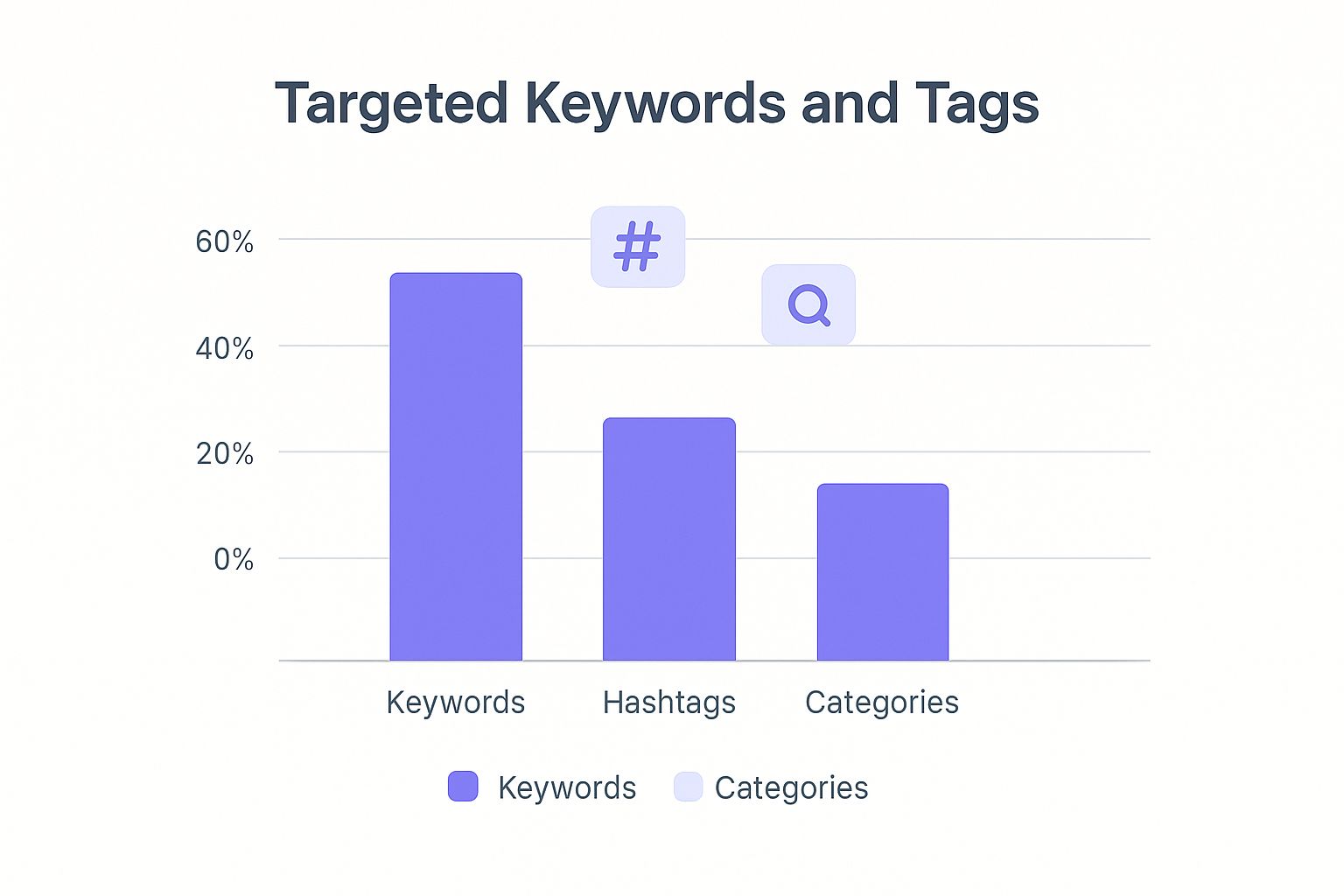
The real takeaway here is that combining platform-specific terms with your personal interests is what consistently delivers the best results. It’s a simple but effective technique.
Mastering Social Media Search Tactics
Let's start with X (formerly Twitter). A straightforward search for terms like "OF" or the hashtag #onlyfanscreator will immediately surface thousands of promotional posts from creators. They use these tags specifically to be found, so it’s like a direct hotline to their profiles.
Reddit is another absolute goldmine. The site is filled with countless communities, or subreddits, built for this exact purpose. You can find subreddits where fans share their favorite finds or where creators are allowed to self-promote. Just searching for "OnlyFans recommendations" is a great starting point.
Expert Tip: Be smart about clicking links you find on social media. I always recommend prioritizing creators who have an established presence and clear, official links in their bios. This helps you dodge potential scams and fake accounts.
To get the most out of your off-platform searches, you need to think about the exact words a creator would use to find their ideal audience.
- Niche Keywords: Try pairing "OnlyFans" or "OF" with specific interests. Think "cosplay," "fitness model," or even "vegan chef."
- Location-Based Terms: This is a great trick for finding local creators. For a deep dive into this, check out our guide on how to find OnlyFans creators by location using the 7 best tools for 2025.
- Cross-Platform Usernames: Good branding means consistency. Many creators use the same handle across Instagram, X, and OnlyFans, making them much easier to find once you know their username on one platform.
Finding the right creator often means looking beyond the main site. The table below breaks down some of the most effective platforms and the search tactics that work best for each.
| Platform | Primary Search Tactic | Common Hashtags/Keywords | Community Hubs |
|---|---|---|---|
| X (formerly Twitter) | Hashtag and keyword search | #onlyfansgirl, #OFcreator, #altOF | Follow threads and "promo" accounts |
| Subreddit discovery | "OF," "OnlyFans," "leaks," "promo" | r/OnlyFansReviews, r/promoteonlyfans | |
| Hashtag and "Link in Bio" | #OFmodel, #boudoir, #spicy | "Linktree" or direct profile links | |
| TikTok | User and sound search | "OF," "spicy account," creator usernames | "Link in Bio" and direct DMs |
By combining the native search functions on these social platforms with smart keywords, you can turn your everyday apps into an incredibly powerful discovery engine for finding authentic creators you'll love.
Using Third-Party Search Engines Safely
Let's be honest: sometimes the built-in OnlyFans search just doesn't cut it. When you're looking for something specific and endless scrolling won't do, specialized third-party search engines can be a game-changer. These are external websites built from the ground up to index and categorize OnlyFans profiles with a level of detail the official platform simply doesn't offer.
Think of them as a supercharged directory for OnlyFans. Instead of just searching by username, these tools often let you filter creators by niche content categories, subscription price, or even their city or state. This kind of specific filtering is how you quickly find exactly the type of creator you're interested in, saving a ton of time.
Verifying Profiles and Staying Safe
Here’s the catch: these powerful tools operate outside the official OnlyFans ecosystem. That means you need to approach them with a healthy dose of caution. Since they aren't directly connected to OnlyFans, the information can sometimes be outdated. You might stumble upon old profiles, or worse, fake ones that lead nowhere.
The Golden Rule: Always verify before you subscribe. After a third-party site points you to a profile, your final step should always be to open it on the official OnlyFans website. This confirms the account is real, active, and what you were looking for before you spend a dime.
Being a smart and skeptical user is key to navigating these external tools safely. From my experience, there are a few red flags that should make you pause:
- Outdated Information: If a profile’s details on the search site don’t quite match what you see on the actual OnlyFans page, always trust the official source.
- Requesting Login Details: A legitimate search tool will never ask for your OnlyFans login credentials. If a site asks for your password, it's a huge security risk and you should leave immediately.
- Suspicious Redirects: The links should take you directly to an OnlyFans profile page. If you're sent to a strange-looking website or a completely unrelated page, close that tab.
Ultimately, using a third-party OnlyFans search is a trade-off. You get incredibly powerful filtering options, but you take on the responsibility of double-checking the results. As long as you stay vigilant and always confirm profiles on the official platform, you can use these tools to discover amazing creators you might have otherwise missed.
Solving Common OnlyFans Search Problems

It’s a familiar frustration: you know exactly who you want to find, but every search comes up empty. Don't give up just yet. More often than not, a few simple tweaks to how you're searching can make all the difference.
The most common culprit is a simple typo. Before you get too deep into detective work, just double-check the spelling of the username. Even a single misplaced letter will trigger that dreaded "user not found" message. It’s an easy mistake to make, but thankfully, it's also the easiest to fix.
Another thing to remember is that creators often use discreet pseudonyms. They might swap out letters for numbers or add symbols to their public name to fly under the radar. For instance, a creator you know as "JaneFit" on Instagram could be hiding in plain sight on OnlyFans as something like "@Jayne_F1t."
Key Takeaway: If a direct search fails, try a few creative variations. Think about common letter substitutions (like "i" for "y" or "0" for "o") or adding underscores and numbers. This clever guesswork often pays off.
When You Still Can't Find Them
So you’ve tried every spelling variation you can think of and still nothing. Now it's time to consider other possibilities. The creator might have deleted their account entirely, or their page could be geo-blocked, making it invisible in your specific country.
In these cases, the search tool itself isn't broken; the account just isn't available to you. If you've ever felt like your OnlyFans search not working, these outside factors are usually the real reason.
Here’s what could be happening:
- Deleted or Suspended Accounts: This one is out of your hands. If an account has been removed, no amount of searching will bring it back.
- Geo-Restrictions: Creators have the ability to restrict access based on location. It’s a deliberate choice on their part, and you can't get around it with a clever search.
- Changed Username: People rebrand all the time. The creator might have simply updated their @username. Your best bet here is to check their other social media profiles for an updated link or announcement.
Common Questions About Finding OnlyFans Creators
Even with a solid game plan, you might run into a few snags when trying to find creators. Let's tackle some of the most common questions I hear from users, so you can navigate the platform like a pro.
Can You Search on OnlyFans Anonymously?
Absolutely. Privacy is a big deal, and thankfully, OnlyFans gets that. While you do need to be logged in to your account to even see the search bar, your actual search history is kept private.
Creators have no idea who has searched for their name or browsed their profile. The only way they know you’ve been there is if you take action—like subscribing, tipping, or liking a post. So feel free to browse with confidence; your activity is your own business until you decide to engage.
Why Is the OnlyFans Search So Basic?
It’s a common frustration, but the limited search function on OnlyFans is actually by design. The platform built its search tool primarily to help you find a specific creator you already know, either by their @username or their display name. It purposefully leaves out the advanced filters you see on other social sites.
This approach encourages discovery through other channels, like the platform’s own suggestion algorithms or by following creators' links from places like Twitter or Instagram. It's a key reason why so many people look for better, off-platform tools to find new talent.
When the built-in search just doesn't cut it, many users find success with dedicated search engines. If you're hitting a wall trying to find specific niches, it's worth checking out a guide to using an OnlyFans model finder, which can give you the powerful filtering options the main site lacks.
What if a Creator Isn't Showing Up in the Search?
If you type in a name and get nothing back, don't panic. It's usually not a glitch. There are a few common reasons this happens:
- They changed their username. Creators often rebrand. Your best bet is to check their other social media accounts for an updated profile link.
- The profile is private or gone. The account might be deleted, or the creator could have made it private, meaning it won't appear in public search results.
- You've been blocked by location. Some creators use geo-blocking to restrict access from certain countries. If you're in a blocked region, their profile will be completely invisible to you.
Ready to stop aimlessly scrolling and start finding the creators you're actually looking for? Fanclan gives you the advanced search and filtering you need to connect with over 104,000 models. Explore top deals, discover niche categories, and even find creators near you. Find exactly what you're looking for at https://fanclan.io today.