
Ever tried to find a specific creator on OnlyFans and come up completely empty? It can be a seriously frustrating experience. The platform's built-in search tool feels almost intentionally basic, prioritizing creator privacy over subscriber discovery.
This means if you don't know the creator's exact username, you're pretty much out of luck.
Why Is Finding Someone on OnlyFans So Hard?
If you’ve typed a name into that little search bar and gotten zero results, you’re definitely not alone. Think of OnlyFans less like a public directory and more like a gated community. This whole setup is designed to shield creators from unwanted attention and harassment, but it throws up a major roadblock for fans who are genuinely trying to connect.
The search tool is really just built to find a perfect username match—and that's about it. It purposely leaves out handy features like searching by keywords, location, or even a real name.
This isn't an accident; it's a core part of their business model. OnlyFans relies on creators to do their own marketing on other social media sites like X (formerly Twitter) and Reddit. They drive their own traffic to their pages, which keeps the platform itself a more private, locked-down space. For us as users, it just means the native search bar is often the last place you'll find what you're looking for.
The Challenge of Scale
The sheer size of the platform is another huge piece of the puzzle. The creator economy has absolutely exploded, and OnlyFans is riding that wave.
As of early 2025, OnlyFans is home to over 377.5 million registered users and a staggering 4.6 million creators. With monthly visits hitting 468 million by late 2024, the sheer volume of profiles makes any kind of manual search feel like trying to find a needle in a global haystack.
Here's the bottom line: The search function on OnlyFans isn't broken. It's working exactly as designed—to protect privacy. To actually find creators, you have to get creative and look beyond the website itself.
When you mix a privacy-first design with millions upon millions of profiles, you get a real discovery problem. It's why so many users feel like they've hit a brick wall. If you're running into issues, it's likely a system limitation, not a bug. Our guide on what to do when your OnlyFans search is not working can give you more ways to tackle this.
Using Google and Social Media to Find Profiles
So, you've hit a wall with the OnlyFans search bar. It happens. When the platform’s own search comes up empty, it’s time to turn to the most powerful discovery tool out there: Google.
Just typing a creator's name into Google is a good first step, but the real power comes from using advanced search operators. These are simple commands that act like a targeting system for your search, telling Google exactly where and how to look. It’s the difference between casting a wide, messy net and using a high-powered scope to zero in on your target.
This simple shift in strategy can turn a frustrating guessing game into a quick and effective discovery mission.
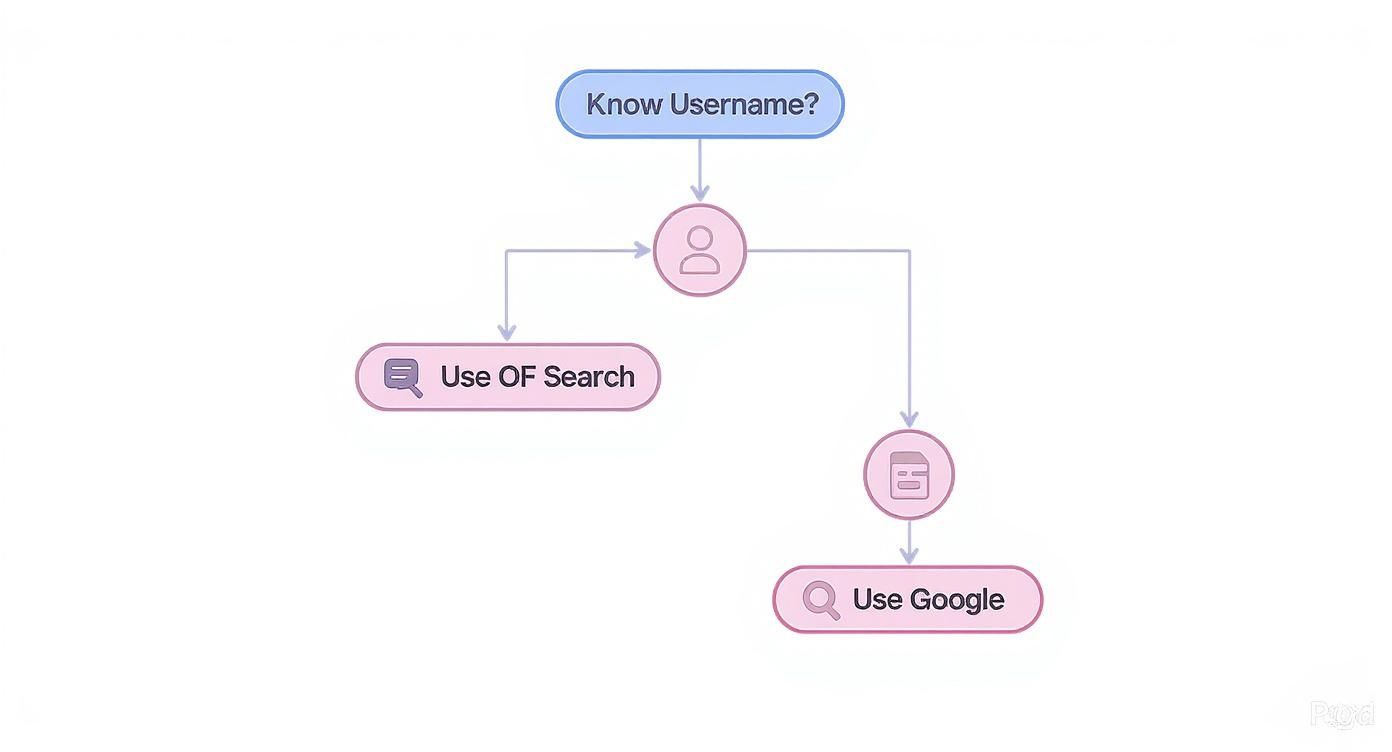
As you can see, the moment you don't have that exact, perfect username, your best bet is to pivot to external search engines.
Mastering Google Search Operators
The most powerful operator for this job is site:. This little command is your secret weapon, as it forces Google to search within one single website. By using site:onlyfans.com, you're telling Google to completely ignore the rest of the internet and only give you results from that specific domain.
Now, let's pair it with another essential tool: quotation marks. Quotation marks tell Google to search for an exact phrase.
- Scenario: You think a creator’s username might be “FitnessGuruJenna,” but you're not 100% sure.
- Search String:
site:onlyfans.com "FitnessGuruJenna" - What it does: This search looks only on the OnlyFans website for that precise username. If a profile with that name exists, it will pop right to the top of the results.
This technique is a lifesaver for verifying usernames you’re unsure about. You can also get creative and use it with keywords you think might be in their bio. For instance, a search like site:onlyfans.com "cosplay creator from texas" could seriously narrow down the field.
A common mistake is forgetting the quotation marks. Searching for
Fitness Guru Jennawithout them will show you profiles containing any of those three words, unleashing a flood of irrelevant results. For precision, always use quotes.
For those looking to get the most out of Google, here's a quick reference guide for combining operators to find exactly what you're looking for.
Effective Search Operator Combinations
| Search Goal | Example Search String | What It Does |
|---|---|---|
| Find an exact username | site:onlyfans.com "CreatorName123" |
Scans only OnlyFans for that exact username. The most direct method. |
| Find a creator by niche/keyword | site:onlyfans.com "tattoo artist" OR "inked model" |
Searches OnlyFans profiles that mention either "tattoo artist" or "inked model". |
| Exclude a specific keyword | site:onlyfans.com "gamer" -fortnite |
Finds profiles that mention "gamer" but filters out any that also mention "fortnite". |
| Find a creator by location | site:onlyfans.com "miami" AND "fitness" |
Narrows the search to profiles that contain both the words "miami" and "fitness". |
Mastering these combinations essentially gives you a set of search superpowers, allowing you to slice through the noise and find specific profiles with much greater accuracy.
Searching Social Media Platforms
Let's be honest: most creators aren't discovered on OnlyFans itself. They build their audience on other platforms and use them as a funnel. This means that places like X (formerly Twitter) and Reddit are absolute goldmines for discovery.
Your search strategy needs to adapt to these platforms. Here, it's all about hashtags, keywords, and communities.
- On X (Twitter): Start by searching for common promotional hashtags like #onlyfans, #ofpromo, or niche-specific tags. Creators use these all the time to get eyes on their pages. You can also combine these with keywords; for example, searching for "gamer girl #onlyfans" will get you much more specific results.
- On Reddit: Subreddits are everything. Communities like r/OnlyFansPromotions or r/OnlyFansReviews are built specifically for discovery. Jump into a relevant subreddit and use its own search bar to look for specific niches or keywords.
But what if you don't have a name, just a picture? That's a whole different ballgame. In that case, you'll want to learn how to perform a reverse image search for OnlyFans, which can be an incredibly effective way to track down a creator from a single photo.
How Third-Party Search Tools Fill the Gap
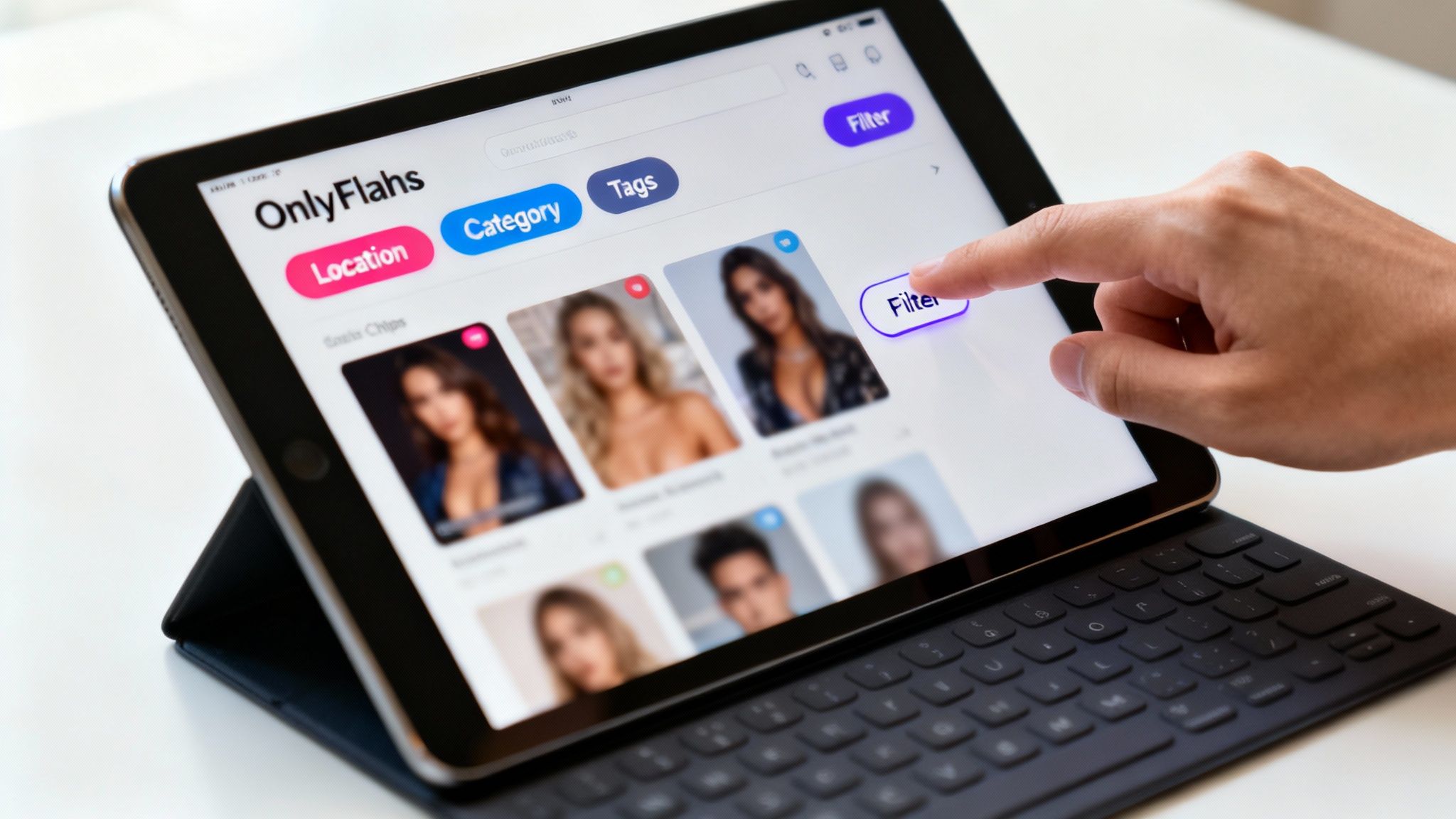
Given how limited the official platform's search is, it's no surprise that a whole ecosystem of third-party directories has popped up. These external sites are basically the powerful search engines OnlyFans should have built, pulling in public creator data to give users the features they actually need. Instead of being stuck searching by a specific username, you can suddenly filter and sort in ways the native platform just doesn't support.
These tools work by indexing the public information creators share on their social media profiles or in their OnlyFans bios. They then wrangle all that data into a clean, searchable database, which makes finding new talent a whole lot less painful.
Why an External Search Engine Is a Game Changer
Using a specialized directory turns a frustrating hunt into a straightforward discovery process. The single biggest advantage is the ability to use advanced filters—a feature that's completely missing from the official site. This lets you get way beyond usernames and start searching based on what you’re actually interested in.
Let's say you're looking for something very specific, like a fitness model in California who focuses on yoga content. Good luck with that on OnlyFans itself. But with a decent third-party tool, you can plug those exact criteria in and get relevant results instantly.
This kind of granular control is what makes these platforms so essential. They give you the power to search by:
- Categories & Niches: Look for creators based on specific interests like "gaming," "cosplay," "ASMR," or "cooking."
- Location: Find creators in your city, state, or country.
- Physical Traits: Filter your results by hair color, body type, and other appearance details.
- Content & Services: Pinpoint profiles that offer specific types of content or custom requests.
This completely transforms your only fans search from a random guessing game into a targeted mission, saving you hours of aimless scrolling.
A well-designed third-party tool doesn't just help you find people faster; it helps you find the right people. It’s all about connecting your specific interests with creators who produce that exact content—something the platform itself simply doesn't help you do.
Fanclan as a Powerful Discovery Platform
While plenty of directories are out there, they aren't all created equal. A platform like Fanclan, for example, was designed from the ground up to make discovery as efficient as possible. It really shines with its deep set of filters that let you run incredibly specific queries, turning what could be a day-long search into a quick, two-minute task.
For instance, with Fanclan, you could easily find a creator who:
- Is located in the UK
- Offers custom content
- Focuses on a specific niche fetish
- Is currently running a promotion
Combining filters like these can instantly narrow a sea of millions down to a handful of perfect matches. This level of detail makes it an indispensable tool for anyone serious about finding new creators. To see how it compares to other options, take a look at our breakdown of the best OnlyFans finder tools for 2025.
Ultimately, these platforms fill a massive hole left by the official site. They arm you with the tools needed to navigate the ocean of creators and connect with the ones that truly line up with what you’re looking for.
Finding Creators in Specific Niches or Locations
Sometimes you're not looking for a specific person, but for someone who shares a particular passion or happens to live nearby. This kind of only fans search is less about names and more about diving into niche communities and local scenes.
If you just search for generic terms, you'll get generic results. The trick is to think like someone already in that community. Instead of just "cosplay creator," get specific with character names or popular conventions. That level of detail helps you cut through the clutter and find exactly what you're looking for.
This applies to any niche, really. If you're hoping to find a fitness creator, what kind of fitness? Powerlifting? Yoga? Calisthenics? Using those hyper-specific keywords on Google or social media will bring up far more relevant profiles.
Zeroing In on Local Creators
Finding creators in your city or region can feel like a tall order, but it’s totally doable if you know how to search. The most effective method is simply to combine location-based keywords with your search queries on Google and social media. It’s a simple tactic that opens up a whole new world of discovery.
A straightforward Google search like "OnlyFans creator" + "San Diego" is a fantastic place to start. You can use the same logic on social media, too. Look for creators using hashtags like #PhillyOF or who tag their city in their posts.
Don't forget about local Reddit communities. Many cities have their own "r4r" (redditor for redditor) boards or other adult-focused subreddits where creators often promote their pages to a hometown crowd.
Pro Tip: When you're searching for local talent, mix up your location terms. Try the city name, major suburbs, the state, and even well-known neighborhood names to cast a wider net.
Understanding the Geographic Landscape
It helps to know where creators and fans are most concentrated. The United States is by far the biggest market, making up somewhere between 32% and 39% of all OnlyFans users and pulling in a staggering 60% of the platform's total revenue. The UK, Mexico, and Brazil are also major players, showing just how global the platform has become.
This data explains why English-language searches tend to give you the most results—many creators are targeting that dominant market. As you search, you can dig even deeper with our guide on the best tools to find OnlyFans creators by category, which will help you refine your search even more, whether you're focused on location or a specific interest.
How to Search Safely and Protect Your Privacy

Alright, before you dive deep into third-party directories and advanced search methods, we need to talk about digital safety. It has to be your top priority. While plenty of search tools are perfectly legitimate, the landscape is a bit of a Wild West. You absolutely have to stay sharp.
The biggest danger? Unvetted websites that are just fronts for phishing scams or data harvesting. It happens more than you'd think.
These shady sites might bait you with promises of free access to private content or, even worse, ask for your login details. Those are massive red flags. If you hand over that info, you’re not just risking your OnlyFans account—you’re putting any other account with a shared password on the chopping block. A healthy dose of skepticism is your best friend here.
The golden rule of a safe only fans search is dead simple: If a website asks for your password or financial details anywhere other than the official OnlyFans platform, just close the tab. Legitimate search directories have no reason to ask for that information.
Vetting Third-Party Search Tools
Before you even think about using a new external search engine, run through a quick mental checklist. Is this site trustworthy? Taking a few seconds to be cautious can save you from a world of hurt later.
Your mission is to tell the difference between a genuinely helpful tool and a potential trap. Honestly, it's often the little details that give a malicious site away.
Here’s what to keep an eye out for:
- Unnecessary Information Requests: Is the site asking for your email or other personal data that has nothing to do with a simple search? Be suspicious.
- Suspicious Pop-ups or Redirects: If you're getting slammed with ads or randomly sent to spammy, unrelated websites, that's a bad sign.
- Lack of Transparency: Where’s the "About Us" page? Is there a privacy policy? Reputable sites are usually upfront about who they are and how they handle your data.
- Outdated or Broken Interface: This isn't a guaranteed deal-breaker, but a janky, poorly maintained site often means there's no professional oversight, and security is probably an afterthought.
Practical Steps for a Secure Search
Beyond just vetting the sites you visit, a few simple habits can seriously beef up your privacy and security. Think of these as building a digital buffer between your personal information and the wild, open web.
First off, seriously consider using a Virtual Private Network (VPN). A VPN masks your IP address, which makes it incredibly difficult for websites to track your location or what you're doing online. It’s a foundational tool for staying anonymous.
And, of course, be smart about the links you click, especially if they come from sources you don't recognize. If you want a more detailed breakdown, getting familiar with how to use an OnlyFans profile viewer safely can give you even more layers of protection. Being proactive here is what keeps your search experience safe and positive.
Got Questions About Finding People on OnlyFans?
Even when you know the tricks, searching for creators on OnlyFans can sometimes feel like you're missing a piece of the puzzle. If you've ever hit a dead end or wondered about a better way to find someone, you're not alone.
Let's clear up some of the most common questions people have. We'll get straight to the point on what works, what doesn't, and why some profiles are so hard to pin down.
Can You Search OnlyFans by a Real Name?
The short answer is no, not directly on the site. OnlyFans is built to work with usernames (@username), not people's real names. This is a core privacy feature that keeps creators safe from being found when they don't want to be.
But that doesn't mean it's impossible. You just have to shift your search outside of the platform itself.
- Try a Google Search: A simple search combining their likely name with a keyword can work wonders. Think
Jane Smith "OnlyFans"or even an advanced search likesite:onlyfans.com "Jane Smith". - Check Social Media: Creators often use their real or professional names on X (formerly Twitter) or Instagram. More often than not, they'll have a direct link to their OnlyFans right in their bio.
Essentially, finding someone by their real name is more about detective work, piecing together publicly available clues that lead back to their profile.
A quick note on privacy: Remember, creators often use a different name for a reason. Always be respectful of the persona they've chosen and the boundaries they've set.
Is It Possible to Find Someone by Email or Phone Number?
This one is a hard no. There is absolutely no legitimate or safe way to search for an OnlyFans account using an email or phone number. The platform simply doesn't allow it.
If you stumble upon a third-party site or tool that claims it can do this, it's a major red flag. These are almost always scams designed to steal your personal data or trick you into downloading something malicious. For your own security—and out of basic respect for privacy—avoid these services at all costs.
Why Can't I Find a Specific Username?
It's one of the most frustrating things: you have the username, you type it in, and... nothing. When a search comes up empty, it's usually for one of a few reasons.
Figuring out which one is the key to adjusting your strategy.
- A Simple Typo: This is the culprit 90% of the time. Usernames can be tricky. Is it
jane_doe_123orjanedoe123? Go back and double-check every single character. - They Changed Their Username: People rebrand. The username you have might be an old one.
- The Profile Is Geo-Blocked: Some creators make their content available only in certain countries. If you're in a region they've restricted, their profile will be completely invisible to you.
- The Account Is Gone: The creator may have deleted their account, or it could have been banned by the platform for rule violations.
If you think it's a typo or a name change, your best bet is to head back to Google or social media. Searching for the old username might just lead you to a post where they announced their new one.
Ready to stop guessing and start discovering? Fanclan offers a powerful, filter-rich search experience that makes finding the creators you love effortless. Explore thousands of profiles by niche, location, and specific interests. Find your perfect match on Fanclan today.