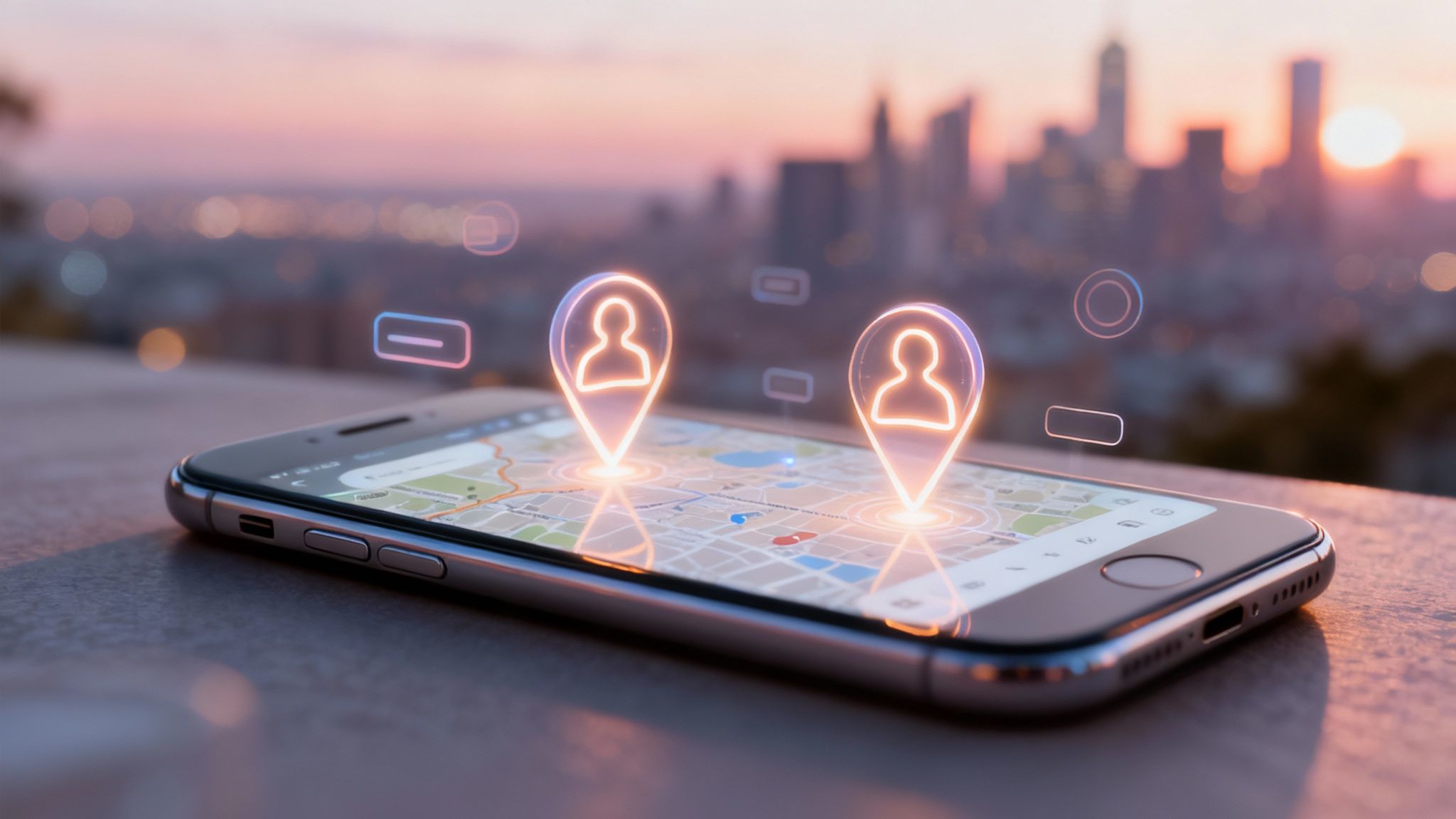
An OnlyFans finder map is a game-changer for discovering creators. Think of it as a specialized, third-party tool that lets you find talent based on their location—a feature you won't find on the official OnlyFans platform. It’s an interactive, visual way to connect with and support local creators.
What Is an OnlyFans Finder Map
Ever tried to find a specific book in a massive library without a catalog? That’s what it can feel like trying to discover new creators on a platform as huge as OnlyFans. The platform's algorithm naturally pushes the most popular accounts, which means countless smaller or niche creators get lost in the shuffle.
An OnlyFans finder map cuts right through that noise by adding a simple but powerful filter: location. Instead of endlessly scrolling through the same global recommendations, you can just zoom into your city or region and see who's creating content right in your backyard. This simple shift turns creator discovery from a random guess into a targeted, local experience.
The Problem It Solves
The creator economy is exploding. By 2025, OnlyFans is projected to be home to around 4.1 million active creators. That’s a staggering number, and it makes it incredibly tough for fans to find specific content or connect with creators on a more personal level. When a platform is that saturated, a location-based tool becomes essential.
The real magic of a finder map is its ability to clear the clutter. It helps build a sense of local community, letting you support creators from your area and stumble upon hidden gems you would’ve otherwise completely missed.
Why Use a Creator Finder Map
Here are the primary advantages of using a location-based discovery tool to find OnlyFans creators.
| Benefit | Description |
|---|---|
| Discover Local Talent | Easily find and support creators living in your city, state, or even neighborhood, fostering a much more personal connection. |
| Find Niche Creators | Uncover unique accounts that mainstream algorithms ignore, giving you access to content that truly matches your interests. |
| Support Newcomers | Many maps let you filter for new creators, giving you the chance to become an early supporter for someone just starting out. |
These benefits make finder maps an incredible alternative to the often-overwhelming discovery pages on major platforms.
Ultimately, these tools put the power back in your hands. If you want to dive deeper into other search methods, check out our complete guide to using an OnlyFans model finder for more tips and tricks.
How to Navigate a Creator Map Interface
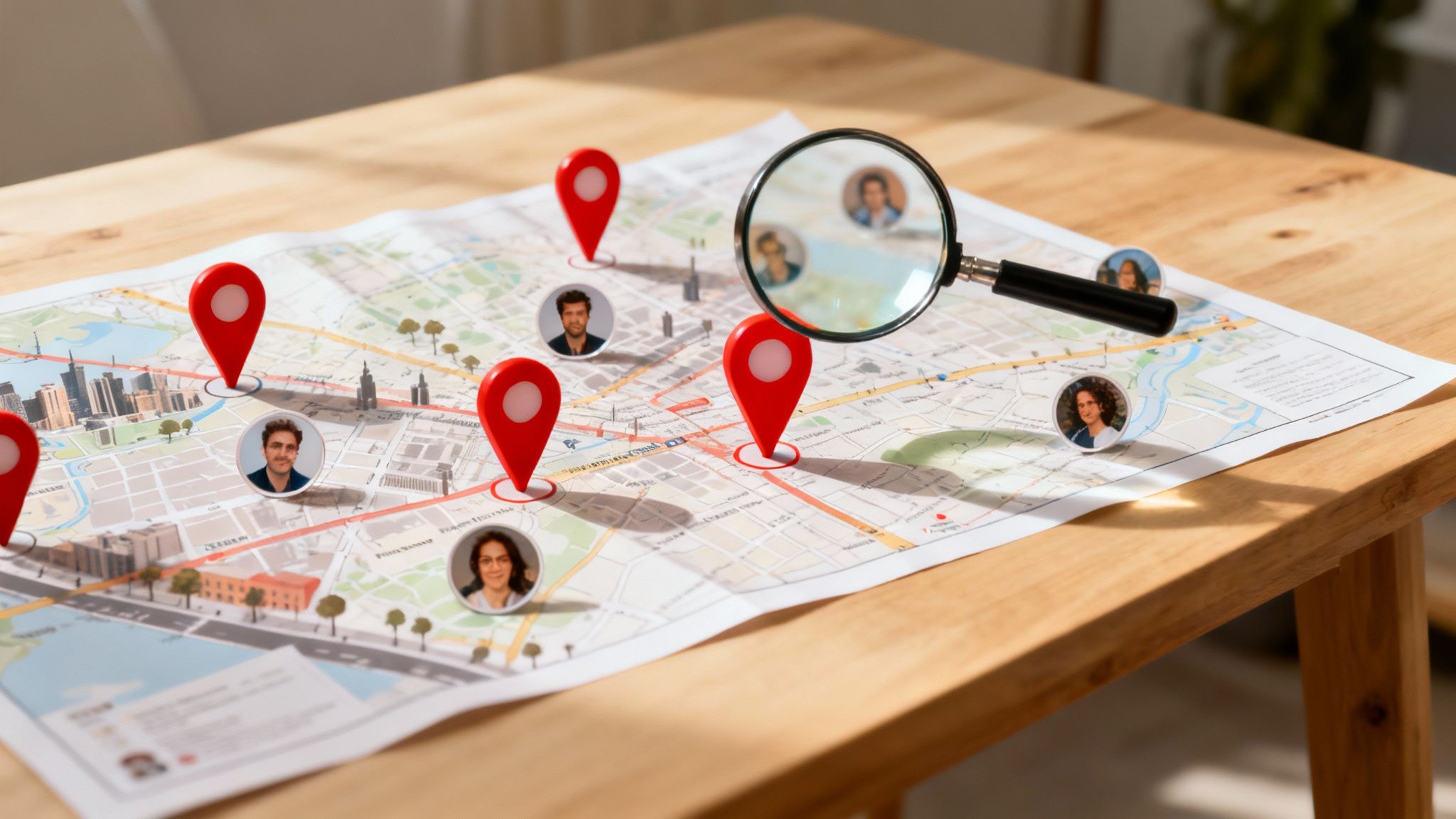
Ever wondered how to find creators in your own backyard? Jumping into an OnlyFans finder map is way easier than you might think. Imagine opening Google Maps, but instead of coffee shops and landmarks, the map is filled with pins showing you exactly where creators are.
Each pin is like a mini-preview. You can zoom in on a city, pan across neighborhoods, and get a feel for the local scene. Hover over a pin, and you’ll instantly see a creator’s profile pic, username, and maybe a short bio. It’s a completely visual and interactive way to discover someone new.
This isn't just about finding people; it's about seeing the whole picture. Instead of scrolling through an endless list of names, you get a real sense of where creators are concentrated. It adds a layer of geographical context that just can't be matched by a simple search bar.
Use Filters to Find Exactly What You Want
Okay, here’s where the real magic happens. The map itself is cool, but the filters are what turn a casual browse into a precision search. This is how you stop wandering aimlessly and start finding creators who match your specific tastes.
Most maps let you dial in your search with a few key options:
- Location: Go big by searching an entire country or state, or get hyperlocal by dropping in a city or zip code.
- Content Niche: Looking for something specific? Filter by popular categories like fitness, cosplay, or any other genre you're into.
- New Creators: Want to be the first to discover a rising star? Many maps have a filter to spotlight accounts that have just joined.
Think of filters as your secret weapon. By layering a location search with a niche tag, you cut through the noise and get straight to the profiles that matter most to you. Getting good at using these filters is the fastest way to level up your discovery game. To see this in action, check out our guide on how to use an OnlyFans profile finder for more pro tips.
How to Use a Finder Map to Discover Local Creators
Alright, so you're ready to find some creators in your neck of the woods? Using an OnlyFans finder map is dead simple. It's basically a highly-focused search tool built to take you from "I wonder who's nearby" to browsing specific profiles in just a couple of clicks.
The first move is always the most obvious: tell it where to look. Just punch in a city, state, or even a zip code. That's your signal to the map to zoom in, filtering out all the global noise and dropping pins on creators in that exact area.
This handy infographic lays out the whole process in three quick steps.
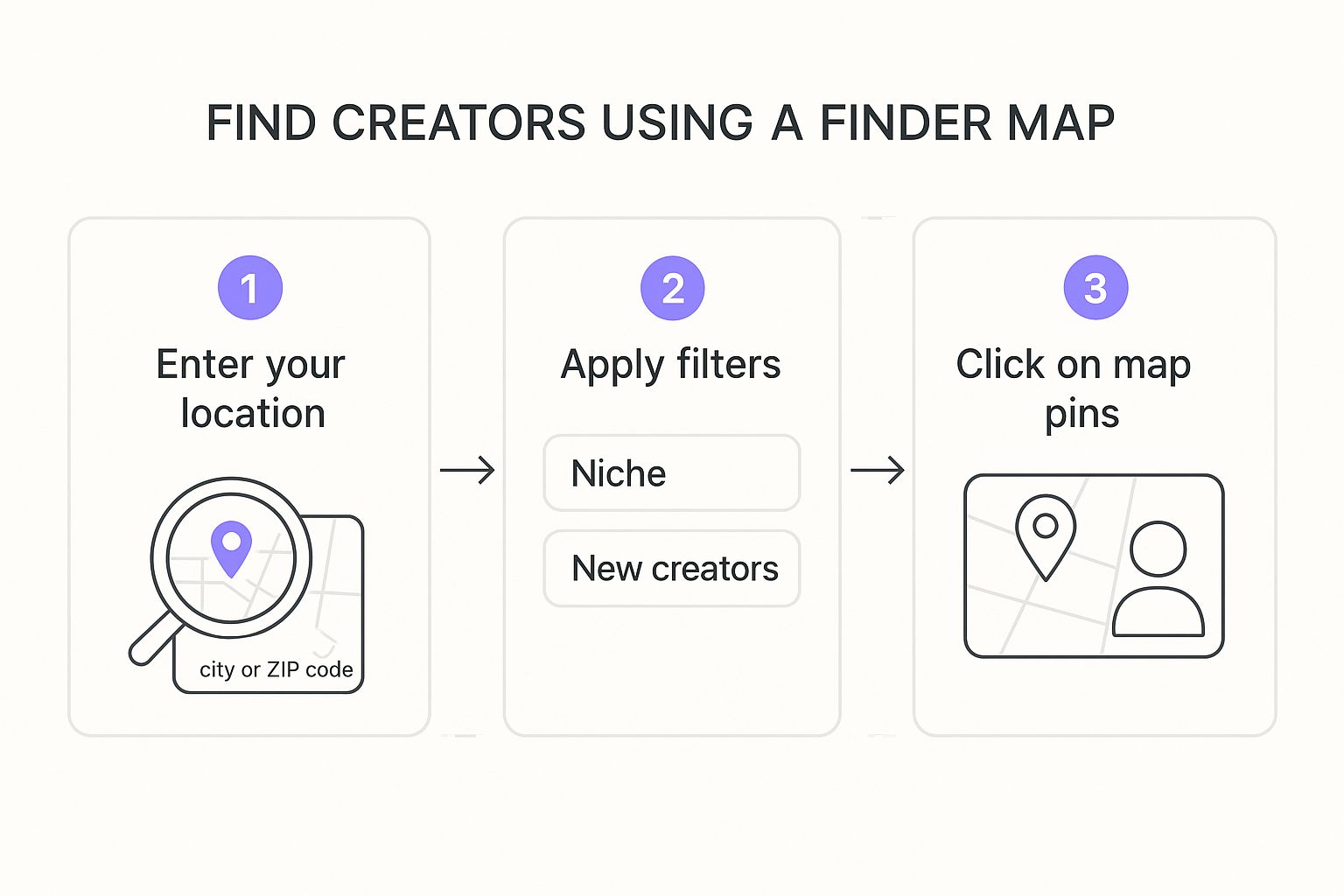
As you can see, it really doesn't take much to go from a wide-open map to checking out individual creators.
Narrow Your Search with Filters
Once the map is loaded up with pins, it's time to get specific. This is where filters become your best friend. Without them, you're just staring at dots on a map; with them, you’re on a precision-guided mission to find exactly what you're looking for.
You can usually dial in your search with filters like:
- Content Niche: Looking for something specific? Filter by categories like fitness, cosplay, or art to match your tastes.
- New Creators: Want to support fresh talent? This filter highlights creators who are just getting started.
- Promotions: On the hunt for a good deal? This option shows you accounts running special offers for new subs.
The real magic happens when you layer a location search with specific content filters. It's how you uncover those hidden gems you’d never find otherwise. This is the core strategy for mastering any OnlyFans finder map.
Once you've set your filters, the map will refresh, showing only the creators who fit your criteria. From there, just click on any pin that looks interesting. A little pop-up will usually appear with their profile pic, username, and a direct link to their page.
For a deeper dive into location-based searching, check out our guide on how to effectively search for OnlyFans creators by location.
Staying Safe and Respectful While Exploring

Hopping on an OnlyFans finder map is a fantastic way to find local talent, but it’s super important to remember the ground rules. Safety and respect come first, always.
Let’s be crystal clear: these maps are for digital discovery, not real-life meetups. The locations you see are self-reported by creators and are deliberately vague. Think of them as a general neighborhood or city, never a specific address. Trying to pinpoint someone’s exact spot is a massive violation of trust and privacy.
Best Practices for Responsible Discovery
To make sure this is a great experience for everyone involved, stick to these key guidelines. They’re designed to protect both you and the creators you’re excited to support.
- Respect Creator Privacy: The map is a tool for connection, not surveillance. Never, ever try to figure out a creator's home or work address.
- Communicate Respectfully: If you subscribe, be cool. Stick to the creator’s rules and platform guidelines, and always keep your interactions positive.
- Support, Don't Stalk: The whole point is to find amazing creators to support online. Subscriptions, tips, and genuine engagement are the name of the game—not seeking them out offline.
The golden rule is simple: use the OnlyFans finder map to broaden your digital horizons, not to shrink someone else's world. Your respect for privacy is what makes this community work.
Getting these boundaries right is what keeps the platform a safe space. Want to brush up on your online safety skills? Check out our guide on how to protect your privacy online with our essential tips and tricks.
When you follow these principles, you help build a community that’s secure and respectful. It allows creators to feel comfortable sharing their general area, which in turn helps foster those local connections without risking their safety. It's a win-win.
The Growing Trend of Geo-Location Discovery
So, why is everyone suddenly talking about finding local creators? It all boils down to a basic human need: connection. In a digital world that can feel massive and impersonal, tools like an OnlyFans finder map bring things back to a human scale.
Instead of endlessly scrolling through a sea of global profiles, fans are looking for creators who feel a little closer to home. This isn't just a gimmick; it’s a natural reaction to the sheer size of modern content platforms. When you’re faced with millions of creators, supporting someone from your own city or state just feels more real.
This push for localization is changing the game. It turns the experience from just watching content into actually being part of a community.
From Global Overload to Local Connection
The worldwide reach of a platform like OnlyFans is staggering. It spans over 100 countries, with a huge chunk of users—about 55%—based in the United States alone. While that’s impressive, it can also make it tough to find a genuine connection. You can dig into the full OnlyFans user statistics online to see the scale we're talking about.
An OnlyFans finder map cuts right through that noise. It carves out small, local communities from that massive global user base.
Geo-location discovery is about more than just finding someone nearby—it’s about adding context. Knowing a creator is local makes the connection feel tangible. A simple subscription becomes an act of genuine local support.
This desire for an authentic bond is what's driving the trend. By focusing on geography, these tools help fans skip the digital static and find creators they can actually relate to. That builds a much stronger sense of loyalty and engagement. The best tools make this super easy, as you can see in our rundown of the 7 best OnlyFans finder tools for 2025.
Your Questions About Finder Maps, Answered
Even after getting the basics down, you probably still have a few questions about how OnlyFans finder maps work. That’s a good thing. Getting clear, honest answers is the best way to use these tools right.
We’re here to tackle the most common questions we get from users. Think of this as your go-to guide for getting the facts straight, so you can find local creators with confidence.
How Accurate Is The Location Data?
This is the big one, and it’s a great question. The location data on an OnlyFans finder map is self-reported by the creators themselves. The key thing to understand is that these locations are deliberately broad. Creators list their city or a nearby major metro area, but never their home address.
It’s like a food truck listing its general neighborhood for the day, not its exact parking spot. The map gives you the creator's general region, which is all you need to support local talent without ever crossing a privacy line.
This method strikes the perfect balance. It makes local discovery possible while keeping every creator’s personal information totally locked down.
Are OnlyFans Finder Maps Safe And Legal To Use?
Absolutely. Using a third-party finder map is completely safe and legal. These platforms are basically specialized search directories. They take publicly available or voluntarily submitted info and organize it into a user-friendly map.
There are no laws against using a directory to find creators online. As long as you respect the platform's terms and interact with creators respectfully, you're doing it right. These maps are built for discovery, not for anything else.
Here’s a quick look at why they’re safe:
- Privacy is Priority: Good maps always put creator privacy first. No precise addresses, ever.
- Built for Discovery: The goal is to help you find and support creators online, not to facilitate offline contact.
- User Anonymity: Your search activity is kept private, protecting you as you browse.
Just remember, the map is only the first step. Respectful interaction is always up to you.
Ready to start discovering amazing local creators? The Fanclan discovery platform gives you an easy-to-use map interface with powerful filters, so you can find exactly who you’re looking for—safely and simply. Start exploring today at Fanclan.io.