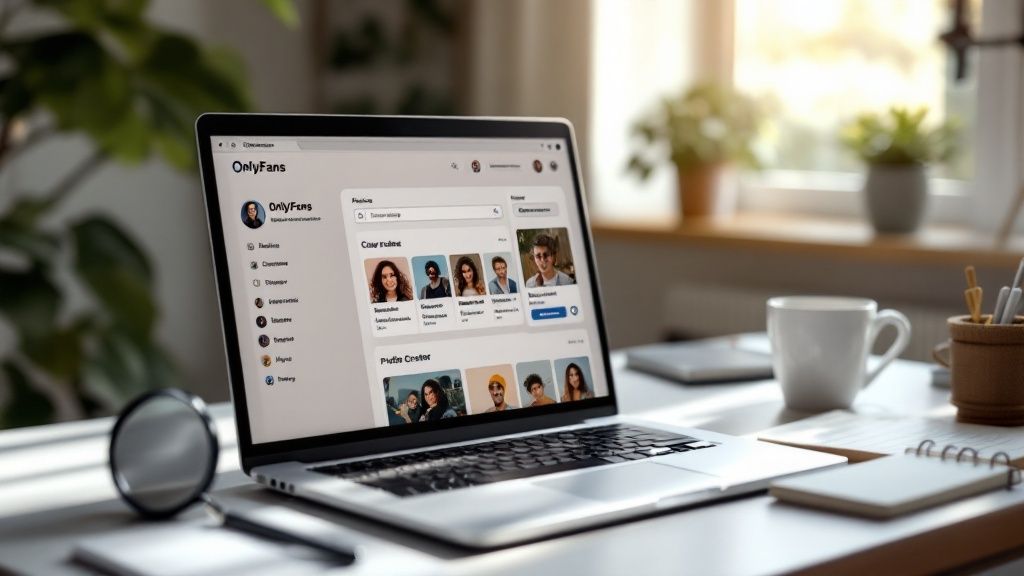
Trying to find a specific creator on OnlyFans can feel like searching for a needle in a haystack. The platform's own search tools are surprisingly basic, which means finding exactly what you're looking for often turns into a wild goose chase.
Why a Better OnlyFans Search Tool Is Essential

Think about it: you wouldn't go into a massive library without a catalog, right? That’s pretty much what you’re doing on OnlyFans. Their search bar really only works if you already know the creator's exact username. For everyone else, it’s a dead end.
This creates a huge discovery problem. If you're looking for someone in a niche like "vegan fitness" or trying to find creators in your city, you’re stuck endlessly scrolling or hoping to get lucky on other social media sites. It's more than just an annoyance—it's a barrier keeping you from the content you actually want to see and support.
The Problem of Scale
This whole issue gets blown up by the sheer size of the platform. We're talking over 220 million users and more than 2.2 million creators. The odds of just stumbling upon the perfect profile are practically zero.
With numbers that big, a simple username search just doesn't cut it. The platform's explosive growth has created a massive gap between the amount of content available and the tools needed to actually find it. For users like you, that means wasted time and missed connections.
A specialized OnlyFans profile search tool like Fanclan closes this gap. It acts as the much-needed catalog, allowing you to filter through the noise and find exactly what you're looking for with precision.
The platform's growth has far outpaced its internal search tools, creating a frustrating experience for users trying to discover new creators. This table breaks down the core problem and how a dedicated search engine provides the solution.
Platform Growth vs Native Search Capabilities
| Growth Metric | Impact on Search | Fanclan Solution |
|---|---|---|
| Over 2.2 million creators | Overwhelms basic username-only search functionality. | Advanced filtering by niche, location, and keywords. |
| Global user base | Makes finding local or region-specific creators impossible. | Location-based search lets you find creators in your city or state. |
| Diverse content niches | No way to search by specific interests or categories. | Niche-specific tags and categories for targeted discovery. |
| Varied pricing models | Difficult to find creators offering deals, trials, or specific price points. | Filters for subscription price, free trials, and active promotions. |
Ultimately, a dedicated tool is necessary to bridge the gap between the vast number of creators and the users trying to find them.
Beyond Basic Username Lookups
This is where a real search platform changes the game. It moves beyond just matching usernames and lets you zero in on what actually matters to you.
Ever tried to do any of these on the platform itself?
- Find creators who live in your state.
- Search for profiles based on interests like cosplay or cooking.
- Track down creators offering discounts or free trials.
It’s pretty much impossible. Without those kinds of filters, you’re stuck with a limited, often frustrating experience. The need for something better is obvious.
If you want to see how different tools stack up, check out our guide on the 12 best OnlyFans search engine platforms for 2025. In the end, a powerful search tool transforms the discovery process from a game of chance into a streamlined, efficient experience.
Navigating Fanclan for Your First Search

Jumping into a new platform can feel like a chore, but we designed the Fanclan dashboard to be dead simple. The whole point is to get you from login to finding awesome new creators in just a few clicks. Your first OnlyFans profile search should be a win, not a headache.
You’ll see the layout is clean, putting the most important stuff front and center. That big search bar is your starting line. You’ll also spot the filter panel and a feed of trending creators—which is a fantastic way to see who’s blowing up on the platform right now.
Your First Real-World Search Scenario
Let’s run through a quick, practical example. Say you're on the hunt for a fitness creator who also focuses on plant-based nutrition. Good luck finding that specific niche with the native OnlyFans search. It's nearly impossible.
On Fanclan, you’d start by just typing "fitness" into the search bar. That's going to pull up thousands of results, which is obviously way too many to sift through. This is where the magic happens.
Now, you slide over to the filter panel to start carving down that massive list.
- Add "plant-based" as a keyword.
- You can also layer in similar terms like "vegan" or "nutrition."
- Instantly, your results shrink to show only creators who use those exact words in their profiles or posts.
You just turned a massive, vague search into a highly targeted list of creators who are a perfect match.
Think of it like a funnel. You start by pouring in a wide range of possibilities at the top, apply a few smart filters, and out comes a handful of perfect matches at the bottom. It’s that easy.
Exploring the Dashboard Elements
As you get the hang of it, you’ll notice how all the dashboard elements work together to give you a complete picture of the creator landscape.
Key Dashboard Areas:
| Dashboard Element | Purpose | How to Use It Effectively |
|---|---|---|
| Primary Search Bar | The starting point for any search using keywords or creator names. | Begin with a broad term here before you start filtering. |
| Filter Panel | Where you slice and dice your results by niche, price, location, etc. | Layer on multiple filters to zero in on exactly who you're looking for. |
| Trending Creators | A live look at who's getting the most buzz right now. | Perfect for discovery when you don't have a specific search in mind. |
By combining these tools, your OnlyFans searches become ridiculously efficient. You’re not just scrolling into the void anymore; you're actively steering the ship.
For instance, after finding those plant-based fitness creators, you could add a location filter to find someone local or a price filter to see who's running a promo. This level of precision saves you a ton of time and makes sure you find the content you actually want to see.
Using Advanced Filters for Pinpoint Searches
Once you've got the hang of a basic keyword search, it's time to really dig in and see what a dedicated OnlyFans profile search tool can do. This is where you graduate from just typing in names to using filters to find the exact kind of creator you’re looking for. It's the difference between casting a wide net and using a laser-guided missile.
Let's walk through a real-world example. Say you're looking for a creator in Los Angeles who's deep into cosplay. You also want their subscription to be under $10, and you're hoping to catch them while they're running a promotion. Trying to find that specific combo on your own would be a nightmare of endless scrolling.
With Fanclan’s advanced filters, it’s a piece of cake.
You'd first pop "Los Angeles" into the location filter. Next, you'd add "cosplay" as a keyword or niche. To finish it off, you slide the price filter to a max of $10 and click the "active promotion" option. Just like that, the tool chews through thousands of profiles and spits out a short, perfectly curated list.
This handy visual breaks down how to get started with that initial search and filtering process.
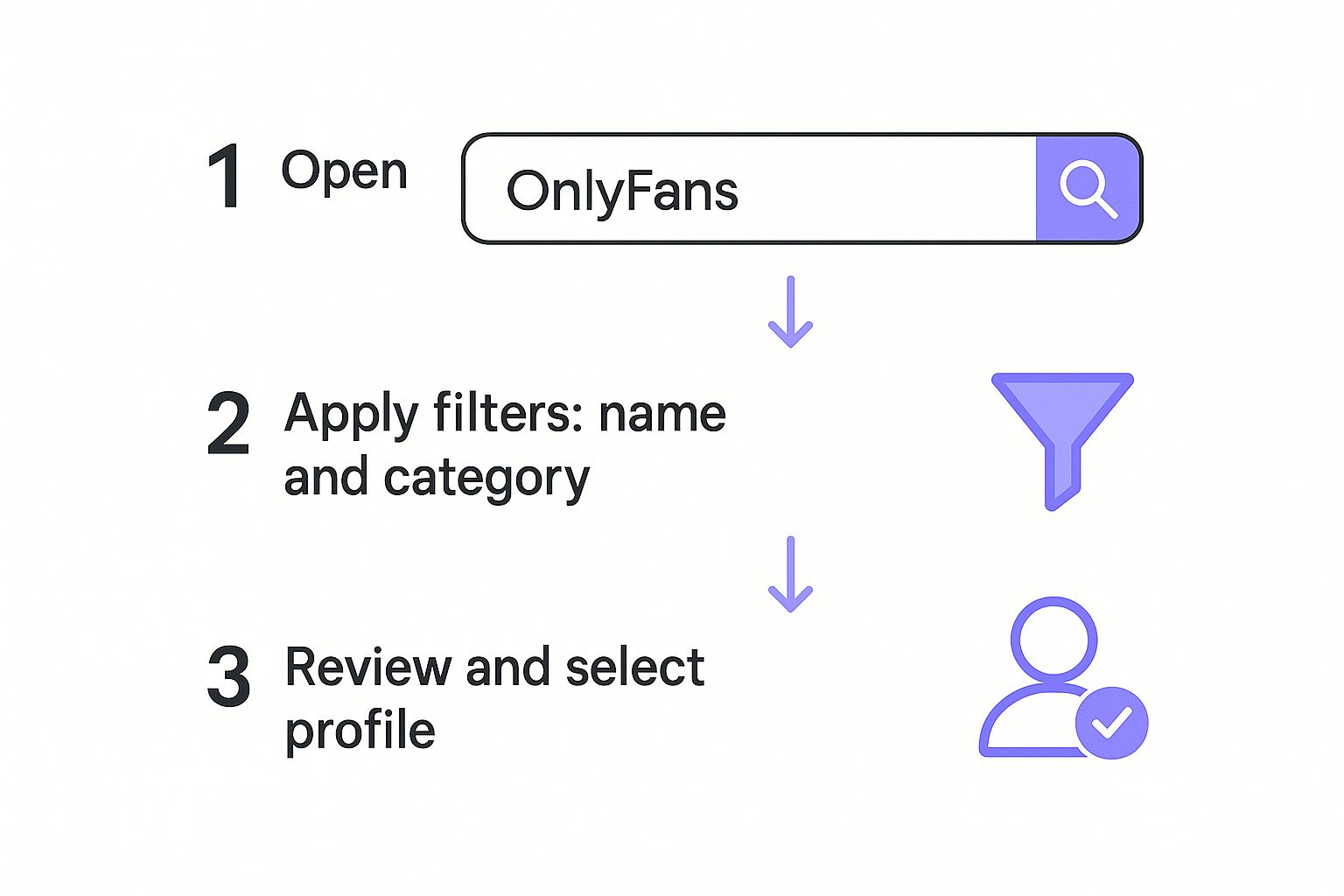
As you can see, stacking those filters is how you turn a massive, overwhelming search into a focused, useful list of creators who fit your vibe.
Combining Filters for Hyper-Specific Results
The real magic happens when you start layering multiple filters on top of each other. Each one you add shaves off the profiles that don't fit, getting you closer and closer to that hidden gem you'd never find otherwise.
Think about the powerful combinations you can create:
- Location + Niche: Looking for a local fitness creator in your city? Easy.
- Price + Follower Count: A great way to find up-and-coming creators with affordable subs who are just starting to blow up.
- Promotion + Engagement Rate: Pinpoint popular creators offering a sweet discount right now. This is where you find the best value.
This is what separates the casual scrollers from the pro-level users. You’re not just browsing anymore; you’re actively building your own personalized discovery feed.
Pro tip: Start your search broad, then slowly narrow it down. Kick things off with one or two must-have filters, check the results, and then keep adding more specific ones until you have a killer list of perfect matches.
Understanding Key Filter Categories
To really master your searches, it pays to know exactly what each filter does.
| Filter Type | What It Does | Example Use Case |
|---|---|---|
| Location Filters | Lets you zero in on creators by country, state, or even city. | Perfect for finding and supporting creators in your local area. |
| Pricing Filters | Sets a max subscription price or helps you hunt for free trials. | Ideal for finding budget-friendly options or free content to sample. |
| Niche & Tag Filters | Targets specific content categories, from fitness to cosplay. | The best way to find creators who share your specific interests. |
| Profile Metric Filters | Sorts by things like follower count, post frequency, or engagement. | Helps you spot the most active and popular creators with buzzing communities. |
This kind of detailed control is why specialized search tools are becoming so essential. The best ones are judged on how well they index profiles and how sophisticated their filters are, letting you search by name, niche, location, and more.
By playing around with these filters, you'll quickly figure out how to build the perfect search. For a deeper look at search tactics, check out our complete guide on how to search in OnlyFans with easy tips and methods. This approach doesn't just save you hours of wasted time—it connects you with creators you'll actually love.
How to Read Creator Profiles Like a Pro

Finding a profile with an OnlyFans profile search tool is the easy part. The real skill is learning how to instantly size up a creator from the data Fanclan gives you, so you know if they're actually active and engaging before you click subscribe.
It’s about looking beyond the flashy follower count.
A huge follower number can be a trap. I’ve seen countless creators who built a massive following years ago but have since gone quiet, leaving new subscribers with nothing but a library of old content. To get the real story, you have to dig a little deeper.
Looking Beyond Follower Counts
The best metrics tell you what’s happening on the profile right now. When you land on a creator's page, your eyes should immediately dart to a few key stats that cut through the noise.
These are the numbers that truly matter:
- Post Frequency: This tells you how often they’re actually putting out new stuff. A creator posting several times a week is a world away from one who posts once a month.
- Media Count: The total pile of photos and videos. A big media count combined with recent activity means you get a deep library to dive into right away.
- "Last Seen" Status: Fanclan shows you exactly when a creator was last online. If they were active today, it’s a great sign they’re around to interact and chat with their fans.
This combo of data points helps you spot the difference between a profile that just looks popular and one that is actively thriving.
A creator with 10,000 followers who hasn't posted in two weeks is a much riskier bet than someone with 1,000 followers who posted twice yesterday. Active engagement almost always trumps those big, empty numbers.
Decoding Key Creator Metrics
Let's break down what these analytics really mean for you. Getting a handle on these numbers is the secret to making smart choices and avoiding buyer's remorse. Think of this table as your cheat sheet for your next onlyfans profile search.
Key Creator Metrics and What They Mean
This quick reference guide will help you understand the most important analytics you'll see on a creator's profile.
| Metric | What It Indicates | Look For |
|---|---|---|
| Follower Growth | The creator's current popularity and momentum. | A steady upward trend suggests they're gaining interest and building a solid community. |
| Post Frequency | How consistently they deliver fresh content. | At least 3-5 posts per week is the mark of a highly active and dedicated creator. |
| Media Count vs. Age | The overall value of their content library. | A profile that's a year old should have a much higher media count than one started last month. |
| Bio & Social Links | Their personality and presence outside of OnlyFans. | A detailed bio and active social links show a creator who is genuinely invested in their brand. |
Looking at these metrics together gives you a full 360-degree view of a creator. This analytical approach, which we cover more in our guide on how to use OnlyFans search to find creators, helps you zero in on authentic, engaged people who deliver real value.
Common Search Mistakes and How to Avoid Them
Even with a powerful OnlyFans search tool in your hands, it’s surprisingly easy to fall into a few common traps. I’ve seen it time and again—users get frustrated with their results, not realizing a few small tweaks could change everything. Mastering the search game is as much about knowing what not to do.
Let’s start with the biggest one: being way too vague.
Typing a broad term like "fitness" into the search bar is the digital equivalent of shouting into a canyon. You’ll get a ton of noise back, but nothing useful. The platform is packed with creators, so you have to be more specific to find what you're actually looking for.
This is more true now than ever. In the back half of 2024, OnlyFans saw 1.1 million applications from new creators, but only approved about 36% of them. This massive wave of vetted talent means getting specific with your search is absolutely critical. You can see more on creator application statistics on Statista.
Relying Only on Follower Count
Another classic mistake is getting fixated on follower count as the ultimate badge of quality. A huge following can be a vanity metric. It doesn't tell you if the creator is active, engaging, or even making the kind of content you want. I've seen plenty of high-follower accounts that are basically ghost towns.
Instead of chasing big numbers, pay attention to the metrics that actually matter. Look for a recent "last seen" status, a consistent posting schedule, and a solid media count for how long the profile has been active. These clues give you a much more honest look at a creator's commitment. If you find your searches are still coming up empty, check out our guide on how to fix a non-working OnlyFans search for more troubleshooting tips.
Forgetting to Use Filters
This one drives me nuts. Ignoring the filter panel is like trying to find a book in a library by just wandering around aimlessly. Filters are what turn a generic search into a precision strike, yet so many people just skip right over them.
Pro Tip: Don't ever stop at your initial search results. I always recommend applying at least one or two filters—like location, subscription price, or a specific niche tag. It’s the fastest way to clean up your list and find those hidden gems you would have totally missed otherwise.
By sidestepping these common blunders, you’ll immediately see better results. Get specific, look beyond the follower count, and make filters your best friend. It’s how you go from endless scrolling to finding the perfect creators.
Answering Your OnlyFans Search Questions
Even with the best tools, it's normal to have a few questions. When you're trying to find a specific OnlyFans profile, you want to know you're doing it right—and safely. Let's clear up some of the most common things people ask so you can search like a pro.
The first thing on everyone's mind is usually safety. Is it actually secure to use a third-party search tool? Absolutely, as long as you're using a trusted platform.
Tools like Fanclan work by indexing information that's already public. It never asks for your OnlyFans login details or links to your account. That means your personal info and what you search for stay completely private. Think of it as a super-smart directory, not something that messes with your account.
Why Can't I Find the Creator I'm Looking For?
This is a common one, and it can be a bit frustrating. You know who you want to find, but they just aren't showing up. It usually comes down to a few things.
For starters, the creator might have a brand-new profile that hasn't been added to the search database yet. With millions of accounts out there, it takes a little time for new ones to get indexed.
It's also really common for creators to use different names on different platforms. The person you follow as "FitGirlJess" on Instagram might have a totally different username on OnlyFans for privacy reasons.
Here are a few things to try:
- Search for any other names or aliases you know they use.
- The creator could have their profile set to private, which would hide them from search engines.
- If it's a new profile, try checking back in a day or so.
Most advanced search tools like ours refresh their data every 24 to 48 hours. This keeps everything from follower counts to new promotions as up-to-date as possible.
Can I Really Find Creators in a Specific City?
Yes, you can! This is one of the biggest advantages of using an advanced search platform—it's a feature you won't find on the official site.
You can easily filter your search results by country, state, or even zero in on a specific city. This works by pulling the location data that creators have publicly shared in their bios or linked social media accounts. It's the perfect way to discover and support local talent you'd probably never stumble upon otherwise.
Ready to stop scrolling and start finding? Fanclan gives you the advanced filters and detailed insights you need to discover your favorite creators in seconds. Start your precision search on Fanclan today.