



Trying to find a specific creator on OnlyFans can feel like a bit of a scavenger hunt, but your best first stop is always the platform’s own search bar. The trick is knowing exactly what to type. If you have the creator's exact @username, you're golden—it will take you straight to their profile. Trying to find them by their public display name? That’s a whole different story and often much less reliable.
How to Use the Official OnlyFans Search Bar

Let's be clear: the official OnlyFans search tool is pretty basic by design. It’s built to connect you with creators you already know, not for stumbling upon new ones. Think of it less like Google and more like a digital phone book—it’s perfect if you have the precise details, but not so great for just browsing.
This is a deliberate move on their part. The platform is all about fostering direct connections between creators and their fans. So, the most effective way to use the search is to have that unique @username handy.
Searching by Exact Username
When you type a creator's full handle—say, @creator123—into the search bar, the system looks for an exact match. If it finds one, their profile will pop right up, and you can subscribe or check out their page. It’s easily the most direct and foolproof way to find someone.
Of course, it’s not without its pitfalls. A simple typo, a missing underscore, or a forgotten number will just give you a "No user found" error. I've learned from experience to always double-check the spelling and any special characters before giving up.
Why Display Name Searches Are Tricky
On the other hand, searching by a display name (the name that shows up on their profile, like "Jane Doe") is a real shot in the dark. Tons of creators might use the same or very similar display names, leaving you to scroll through a long list of possibilities.
This problem is only getting bigger as the platform grows. We're talking about an ecosystem with over 4.6 million creator accounts. A generic name search becomes a needle-in-a-haystack situation pretty quickly. It's a crowded space, and precision is everything.
Key Takeaway: The OnlyFans search bar is all about precision. For a direct hit, you need the exact @username. Using a display name is more of a backup plan that requires a lot of patience and a bit of luck.
If you’ve tried both the username and display name with no luck, it's possible the search feature isn't cooperating or the profile is unsearchable. Before you throw in the towel, it might be worth looking into other solutions. Our guide on what to do when the OnlyFans search isn't working can help you troubleshoot common glitches and explore more advanced finder tools.
Finding Creators Through Social Media Channels
When the official OnlyFans search user tool doesn't give you what you need, your next stop should be social media. The reality is, most creators don't rely on people finding them on OnlyFans itself. They use platforms like Twitter, Instagram, and Reddit as their digital storefronts to actively pull followers over to their paid content.
Think of a creator's social profile as the very top of their sales funnel. It's where they build their community, interact with fans, and drop all sorts of clues leading you right to their exclusive page. Following these digital breadcrumbs is often the most reliable way to find an account when you don't know the exact username.
Mastering the Social Media Search
Every platform works a little differently, so you need to adapt your search strategy. Twitter, for example, has some seriously powerful advanced search operators that most people overlook. You can actually search for posts from a specific account that mention a certain word.
Just by using a search string like from:username onlyfans, you can instantly scan a user's entire tweet history for any mention of "OnlyFans." It's a surprisingly direct and effective way to find a link or a username mention.
Over on Instagram, your focus should be on bios and Stories. This is prime real estate for creators. Keep an eye out for common phrases like "link in bio," "spicy account," or even just an emoji like a peach or chili pepper that hints at adult content. Their Stories are also a goldmine for swipe-up links that take you directly to their page.
Leveraging Link Aggregators
One of the biggest clues you can find is a link to an aggregator service. Creators absolutely love using platforms like Linktree, AllMyLinks, or Beacons because they can put all of their important links on one simple, clean landing page.
If you see one of those links in a bio, you've probably hit the jackpot. This page is their central hub, and you can bet their OnlyFans link will be front and center. It’s a one-stop shop designed to make it as easy as possible for you to find and follow them.
Pro Tip: Don't limit your search to just the official "OnlyFans" name. To avoid getting flagged on platforms with strict content policies, creators often use code words or abbreviations like "OF," "my fan page," or "the private site."
Spotting Promotional Accounts
It's also really common for successful creators to run more than one account. They often have a main, more "safe-for-work" profile and a separate promotional account that exists purely to drive traffic to their OnlyFans. These "promo" accounts are usually way more direct in their advertising, which can make them easier to find.
If you know a creator’s main Instagram handle, try searching for slight variations of it. For example, if her main account is @creatorjane, she might run a promo account called @creatorjaneOF or @thejaneshow. Finding one of these secondary accounts can give you a direct path to her subscription page. This is just one of many techniques, and you can learn even more in our complete guide on how to search for someone on OnlyFans.
Exploring Third-Party OnlyFans Search Engines
So, you've tried searching directly on OnlyFans and come up empty. What now? This is where third-party search engines come into play. They're a game-changer because they solve a problem OnlyFans itself hasn't: making creators easy to find.
Several independent websites have popped up to fill this gap, building their own massive, searchable databases of creators. They work by pulling publicly available info from places like social media bios and promotional pages. This means you can search by things like location or niche—something you just can't do on the official site.
How These Unofficial Directories Work
Think of these tools as the unofficial Yellow Pages for OnlyFans. Instead of needing a creator's exact username, you can search more broadly. For example, you could type in "vegan chefs" or "tattoo artists in Portland" and get a list of creators who fit the bill. It's fantastic for discovering new people, not just finding someone you already know.
But it’s important to manage your expectations. Since these sites aren't officially connected to OnlyFans, the information can sometimes be a little stale. A creator might have updated their username or changed their pricing, and the directory might not have caught the change yet.
A Quick Word of Caution: Be smart when using these sites. While most are legitimate tools for discovery, you should never enter your OnlyFans login or payment details on any third-party platform. Use them to find a profile, then go to the official OnlyFans site to subscribe.
Choosing the Right Search Platform
Not all these search sites are built the same. Some are packed with annoying ads, while others are clean and easy to use. The best ones have a massive database of creators, accurate information, and really useful search filters.
To give you a better idea of your options, here’s a quick breakdown of how different search methods stack up.
Comparing OnlyFans Search Methods
This table breaks down the most common ways to find an OnlyFans user, showing you what works best in different situations.
| Search Method | What You Need | Pros | Cons |
|---|---|---|---|
| Official OF Search | Exact @username |
The most direct and reliable method | Useless for discovery; fails with typos |
| Social Media | Creator's social handle | Often leads to direct links in bios | Takes some digging; names can differ across platforms |
| Third-Party Site | Keyword, niche, or location | Excellent for discovering new creators; powerful filters | Info can be outdated; some sites are sketchy |
Each method has its place, but third-party directories offer a level of search power you won't find anywhere else.
For a deeper dive into the best options available, it’s worth reading some detailed reviews. We put together a guide on the 12 best OnlyFans search engine platforms for 2025 to help you pick a reliable tool. It can save you a ton of time and help you steer clear of the low-quality sites.
Advanced Tactics for Hard-to-Find Creators
So, you’ve tried the usual methods and still can't find the creator you're looking for. Their social media seems to be a ghost town, and the direct searches are coming up empty. Don't throw in the towel just yet.
Some creators are deliberately low-key, either for privacy or because they market to very specific, niche communities. When the easy roads are closed, you just have to get a bit more creative with your search.
The Power of a Reverse Image Search
If the only thing you have is a picture, you might be in better shape than you think. A reverse image search is an incredibly effective tool for turning a single photo into a trail of digital breadcrumbs.
Platforms like Google Images or TinEye let you upload an image, and their algorithms will scan the internet for identical or visually similar photos. Creators often use the same profile picture or promo shots across different sites, and that's your key. A successful search could uncover an old Twitter account, a forgotten blog, or a forum signature linking right to their OnlyFans page.
For a deep dive into this method, we have a complete walkthrough on how to reverse image search for an OnlyFans profile that covers all the details.
The Cross-Platform Username Strategy
Here's another trick that works more often than you'd expect: the cross-platform username search. It banks on a simple human tendency—most of us recycle the same username everywhere. It's just easier, and that convenience can be your secret weapon.
Got a username they use on Reddit? A gaming handle? A TikTok name? Start plugging that exact username into other platforms. Check Instagram, Twitter, and even forums that align with their known interests. You'll often stumble upon another profile that either links directly to their OnlyFans or gives you the next clue in your search.
This flowchart maps out the journey, starting with the most straightforward searches and escalating to these more advanced tactics.
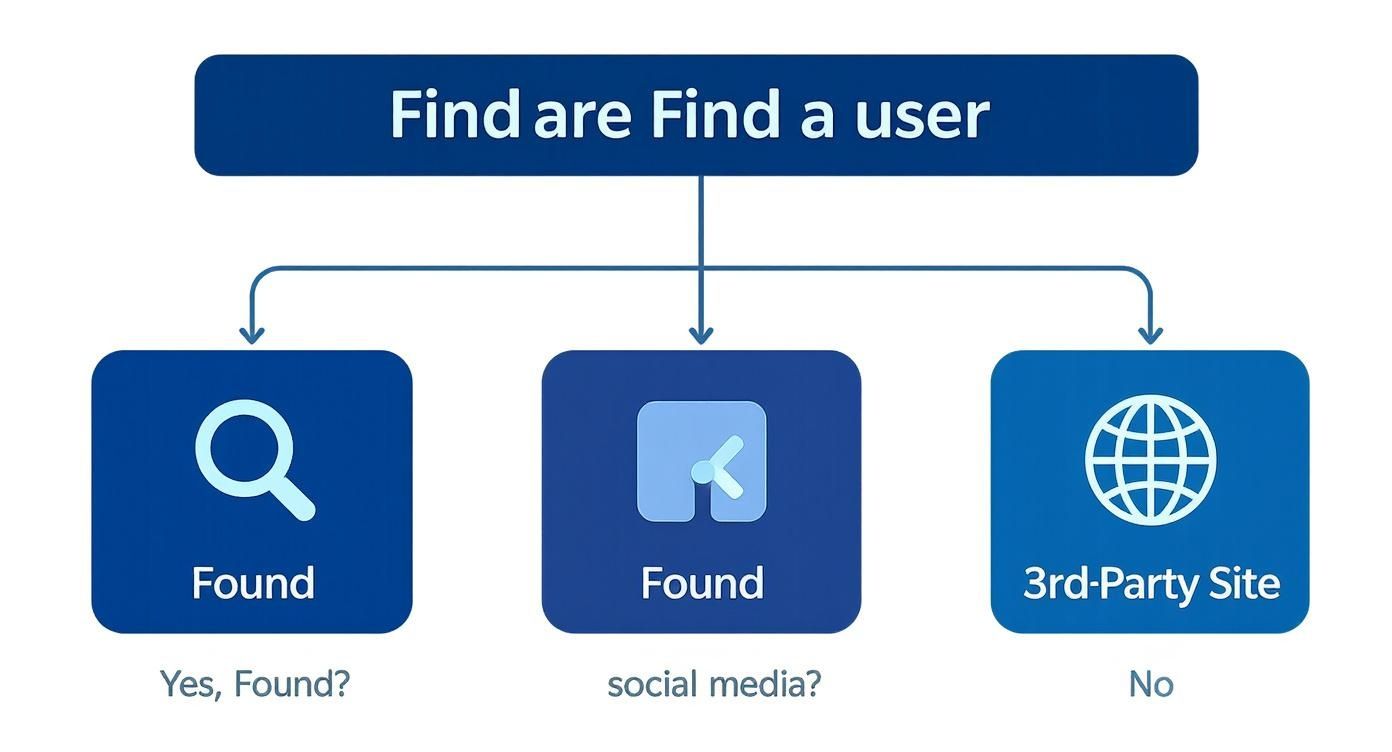
As you can see, it's a process of elimination. You start broad and then narrow your focus until you've explored every possible path.
What to Do When a Profile Is Private
Okay, so what happens when you finally find the profile, but it's locked down? You might run into a private account or, even more frustrating, geo-restrictions.
If a creator has geo-blocked certain countries or regions, their profile is totally invisible there. It’s a hard wall, and there's no simple workaround. If the account is just set to private, that usually means the creator isn't looking for a public audience. They might only be accepting subscribers they know personally or who come from a tight-knit community.
Key Insight: Finding a hidden profile is like putting together a puzzle. Every dead end isn't a failure; it just tells you where not to look. Patience and persistence are what separate a successful search from a dead end.
Searching Safely and Respecting Creator Privacy
https://www.youtube.com/embed/kmEke-T8hds
Finding the OnlyFans creator you were looking for is one thing, but how you interact afterward is what truly matters. It’s a two-way street—you need to support creators ethically and respectfully, but you also have to protect your own information.
The golden rule is straightforward: respect boundaries. Think of a creator's page as their professional space. Don't send unsolicited DMs, never engage in harassment, and absolutely do not try to dig up their private information off-platform. It’s easy to forget, but there’s a real person on the other side of that screen.
Avoiding Scams and Imposter Accounts
With OnlyFans' massive popularity comes the inevitable downside: scams. It’s incredibly common to find imposter accounts that steal a well-known creator's photos to trick you into paying for a subscription. Before you pull out your credit card, you need to play detective.
Look for these telltale signs:
- Verified Profiles: The blue checkmark is a good start, but don't rely on it alone.
- Social Media Links: Real creators will almost always link their OnlyFans from their official Twitter, Instagram, or other socials. Cross-checking those links is the best way to confirm you’ve landed on their genuine page.
- Content History: Be wary of a brand-new account with almost no posts that's being promoted heavily. That’s a huge red flag.
This kind of caution is essential. OnlyFans has exploded, growing from just 13.48 million accounts in 2019 to a staggering 305 million fan accounts by 2023. With such a massive audience, especially in the United States, it’s a playground for scammers. If you're interested in the numbers, you can discover more insights about OnlyFans user growth on pleazeme.com.
Protecting Your Own Privacy as a Fan
Let’s not forget about your own security. When you search for an OnlyFans search user and subscribe, you're sharing your financial details. Being smart about your digital footprint is critical.
Key Takeaway: Every interaction should be a safe and secure transaction for everyone involved. Consider using discreet payment options, never share personal details in messages, and always, always use a strong, unique password for your account.
Taking a proactive stance on your digital safety isn’t optional. For a deeper dive into keeping your info locked down, take a look at our guide on how to protect your privacy online with essential tips and tricks. Following these practices helps create a better, safer experience for both you and the creators you want to support.
Common Questions & Troubleshooting Your Search
Even with a full toolkit of search methods, you can still hit a wall. It happens. Let's dig into some of the most common snags people run into when trying to find a specific OnlyFans creator.
Why Can't I Find Someone Even With Their Exact Username?
This is probably the most frustrating issue. You know you have the right username, you've checked it for typos, but their profile just isn't showing up. What gives?
A few things could be at play here:
- Geo-blocking: The creator might have blocked access from your entire country or region. If that's the case, their profile is completely invisible to you.
- Privacy Settings: They could have a private account that isn't currently open to new followers.
- You've Been Blocked: It's also possible they have blocked your specific account, which would prevent you from seeing their page.
Before you give up, triple-check for any subtle typos. One wrong character is all it takes to derail a search.
Are Third-Party Search Sites Actually Safe?
Venturing off the official platform can feel a bit like the Wild West, and it's smart to be cautious. While many external directories are genuinely helpful for discovery, you have to be careful.
Stick to well-known sites with a solid reputation. A big red flag is any site asking for your OnlyFans login or payment information—never share those details. These tools are not officially connected to OnlyFans, so treat them as a separate resource.
Think of these external sites as a starting point. Their information isn't always up-to-the-minute, so it's a good practice to confirm what you find on the official OnlyFans website before hitting that subscribe button.
Can I Search for Creators by Location?
Directly on OnlyFans? No. The platform intentionally omits a location-based search feature to protect everyone's privacy.
However, some independent directories have managed to build this feature. They typically gather this info from creators who have voluntarily shared their location publicly, usually in their social media bios on places like Twitter or Instagram. So, while you can't search on OnlyFans itself, you might get lucky by checking a creator's other public profiles.
Why Can't I See Content on a "Free" Page?
This one trips a lot of people up. A "free" page just means you don't have to pay a monthly subscription fee to follow them and see their main feed.
But "free" doesn't always mean everything is free. Creators with free pages can still put specific photos, videos, or even direct messages behind a pay-per-view (PPV) wall. To unlock that premium content, you'll need to pay the one-time price they've set for each individual post.
Ready to discover new creators? Fanclan provides a powerful, user-friendly search platform to help you find exactly what you're looking for. Explore profiles, filter by niche, and connect with your favorite models today.

